
Vacation planning software with group calendar
The Vacation Planning module of Rillsoft Project with its interface to the Rillsoft Integration Server helps companies manage vacation days and employee absences centrally. Employees enter their desired vacation dates via the web interface, supervisors review the requests and approve them according to the stored organizational structure.
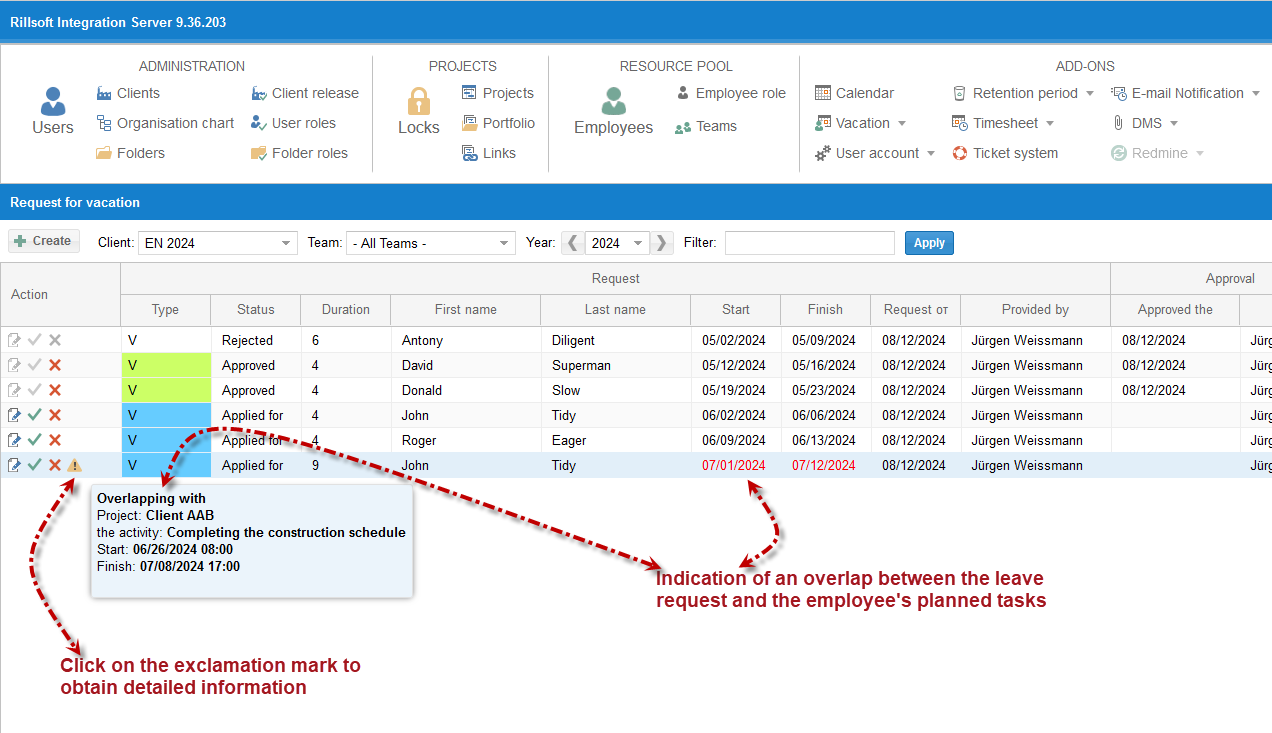
For project-oriented companies it is particularly important that absences are not viewed in isolation. Rillsoft checks whether requested vacation days collide with planned tasks, project dates or existing resource assignments. This way scheduling conflicts can be identified early, before a vacation is approved.
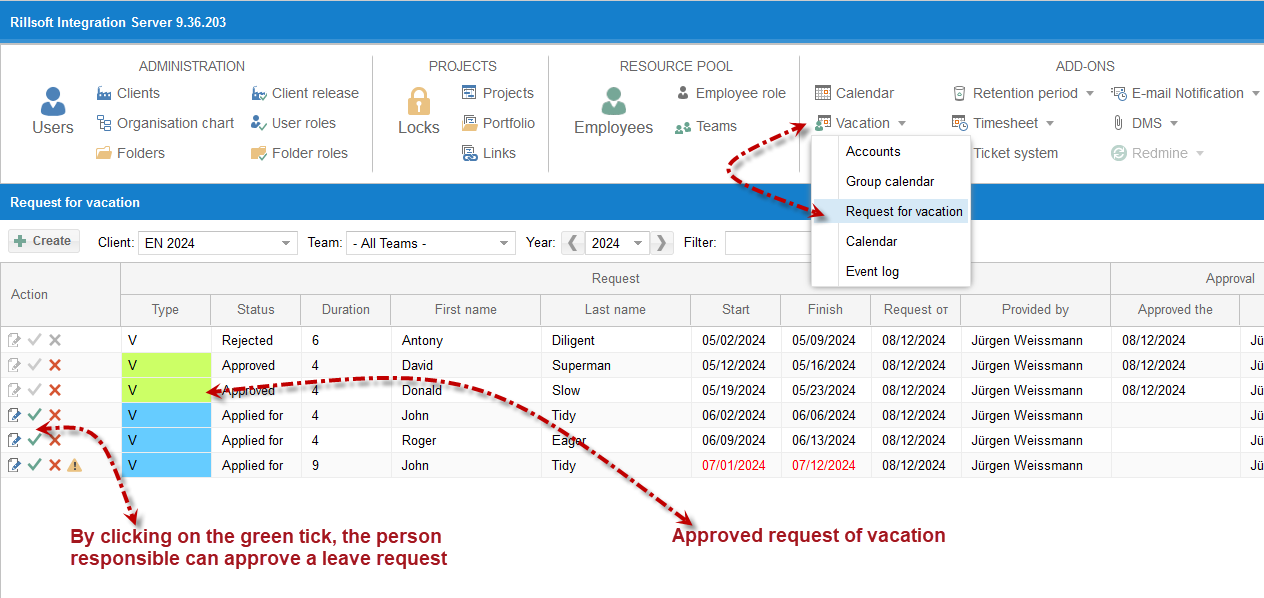
Online vacation requests and approval
Employees can record vacation days directly in the web interface. The entered dates are then reviewed in the approval process and forwarded to the responsible supervisors. Approval is based on the vacation planning organization chart and the assigned user roles.
For this, the Rillsoft Integration Server documentation describes permissions such as enter vacation, approve vacation, cancel vacation, record sick leave and change vacation account. This allows vacation planning to be clearly separated between employees, supervisors and administrative users.
Conflict check with project tasks
A plain vacation list is often not enough in project planning. What matters is whether an employee is already scheduled for tasks during the requested vacation. Rillsoft compares the requested absences with existing project tasks and warns about overlaps.
This check helps project managers and supervisors assess vacation requests realistically. Instead of noticing conflicts only during project execution, they become visible already in the approval process.
Group calendar for teams and departments
With Rillsoft Project 9 and the Rillsoft Integration Server, vacation planning was extended with flexible group calendars. Group calendars can be created for teams, departments or other organizational units. An employee can also belong to several groups.
Team members thereby see the relevant vacation dates of their group and can better coordinate their own absences. This improves transparency within the team, reduces bottlenecks and supports reliable project and resource planning.
Functions of the vacation planning software
- Enter employee vacation dates via the web interface.
- Approve vacation requests based on the vacation planning organization chart.
- Check for overlaps between vacation days and planned tasks.
- Identify scheduling conflicts between absences and project dates early.
- Flexibly summarize the absences of all team members.
- Use group calendars for teams and departments.
- Import vacation days and absences from other applications.
- Manage vacation accounts and relevant user permissions in the Rillsoft Integration Server.
Vacation planning in resource planning
Vacation, illness and other absences directly affect the available staff capacity. That is why vacation planning in Rillsoft is closely linked with project and resource planning. Project managers gain a better overview of which employees are available and which dates are affected by absences.
This way Rillsoft supports not only the management of individual vacation requests, but also the operational planning of teams, projects and capacities.
Mobile: With the Android app Rillsoft Connect, employees submit and cancel vacation requests from the smartphone and view the team calendar – even offline.