
Workforce planning tool delivers optimal utilization
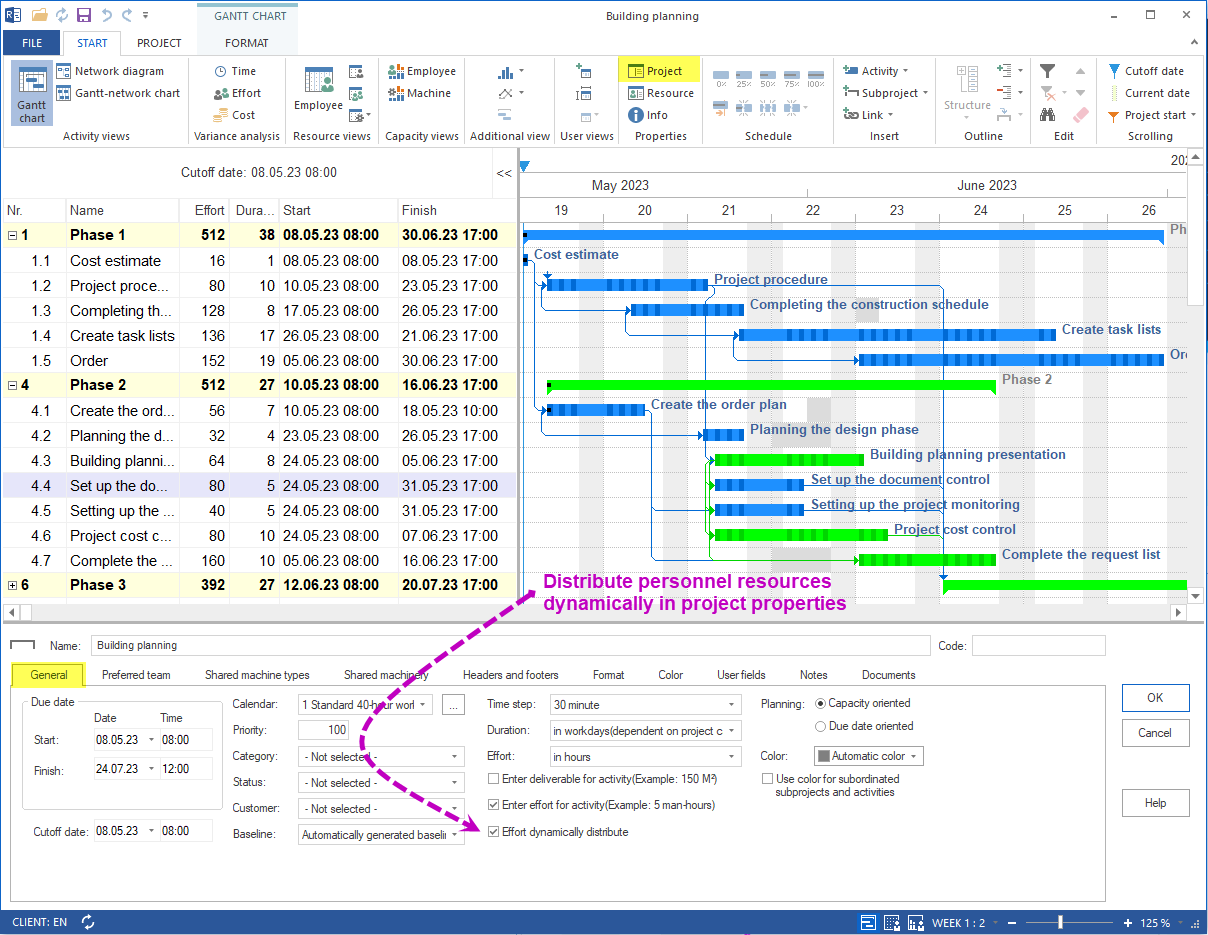
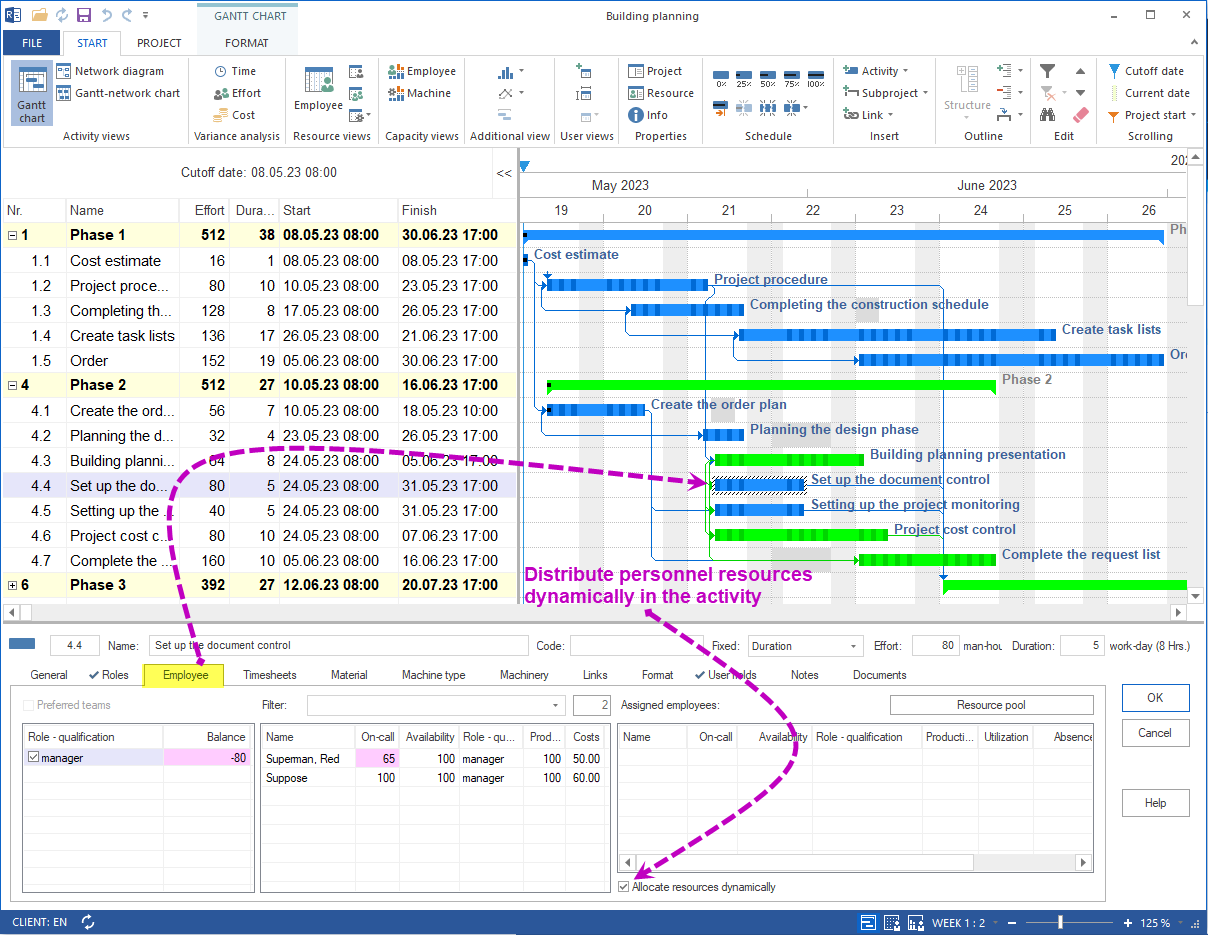
Rillsoft Project 9 extends the workforce planning tool with the option Distribute effort dynamically. The personnel effort of an activity is automatically split across several employees with the same qualification – the activity duration stays as short as possible, even with non-working days.
What is new about dynamic effort distribution?
Earlier versions of Rillsoft Project already filtered the resource pool by professional qualification and checked whether the selected employees were available in the planning window. New in version 9: the effort is spread across multiple suitable employees instead of being assigned to a single person.
The effort distribution takes into account:
- Professional qualifications – matched with the activity requirements
- Working and non-working times – vacation, part-time, shifts
- Current load – from parallel activities and projects
- Individual readiness and productivity
This way bottlenecks and overloads are avoided before the plan is published.
Two ways to activate the option
| Scope | Where to activate | Checkbox |
|---|---|---|
| Whole project | Project properties | Distribute personnel effort dynamically |
| Single activity | Activity properties, “Personnel” tab | Distribute effort dynamically |

Why dynamic distribution shortens activity duration
If a single employee handles an activity alone and is absent for several days, the activity duration extends accordingly. With dynamic distribution active a second employee with the same qualification takes over the effort on the missing days – the activity stays in the planned window.
A workforce planning tool therefore ensures that working time is planned to efficiently meet company demand without overload or understaffing.
Related to personnel and capacity planning
- Staff scheduling software – plan employees by qualification and utilization
- Capacity planning software – match demand and availability across projects
- Resource planning – manage personnel, machines and material centrally