
Scheduling software for engineering offices
Rillsoft Project supports engineering and planning offices with realistic scheduling, project controlling and multi-project management under limited specialist resources. The software is particularly suitable when several projects run in parallel, changes must remain traceable and schedules are not only created but regularly checked against the real status of the project.
In any architectural or engineering office, important decisions are made every day; numerous projects are planned and implemented. Scheduling software helps coordinate project phases, milestones, dependencies and available resources transparently.
What scheduling software is suitable for engineering offices?
For engineering offices, a scheduling software is suitable that combines project structure, Gantt chart, network diagram, target/actual comparison and multi-project planning. Rillsoft Project complements classic project scheduling with resource planning, multi-project management and project controlling.
When are Excel or simple task lists no longer enough?
Excel and task lists are often sufficient as long as only individual projects without strong dependencies are planned. As soon as several projects run at the same time, specialist staff is limited and changes affect dates, cost or other projects, an engineering office needs project-oriented planning with a resource and capacity context.
Requirements for a scheduling software
- Subdivide the project workflow into several levels and display it graphically as a Gantt chart
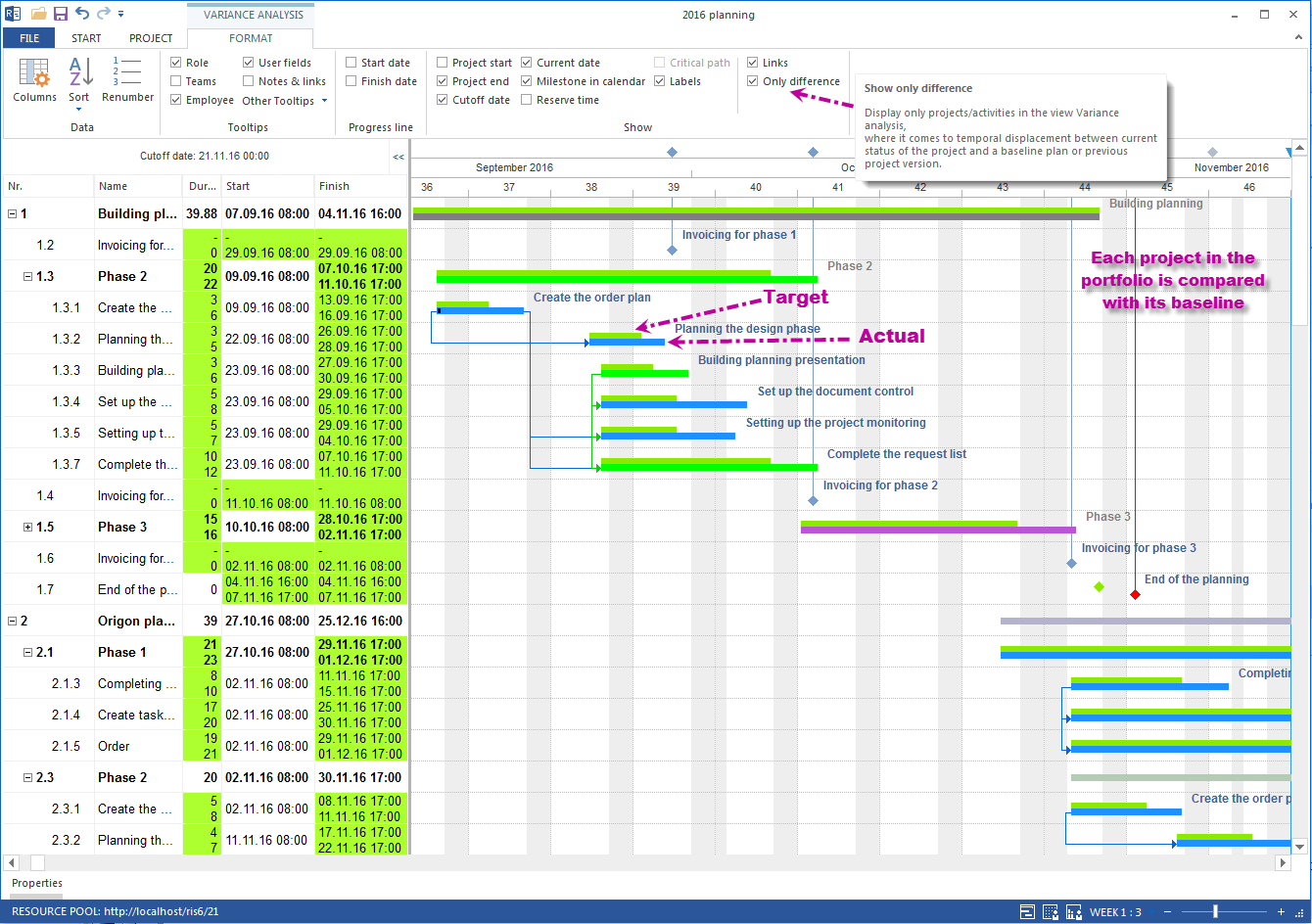
- Get information about deviations in dates at any time in a target/actual comparison view
- Import and export with MS Project
- Export the project plan to Excel and print it as a PDF file in any format, e.g. A1
Rillsoft Project helps engineering offices coordinate these tasks logistically and economically and continuously optimize them.
Project planning
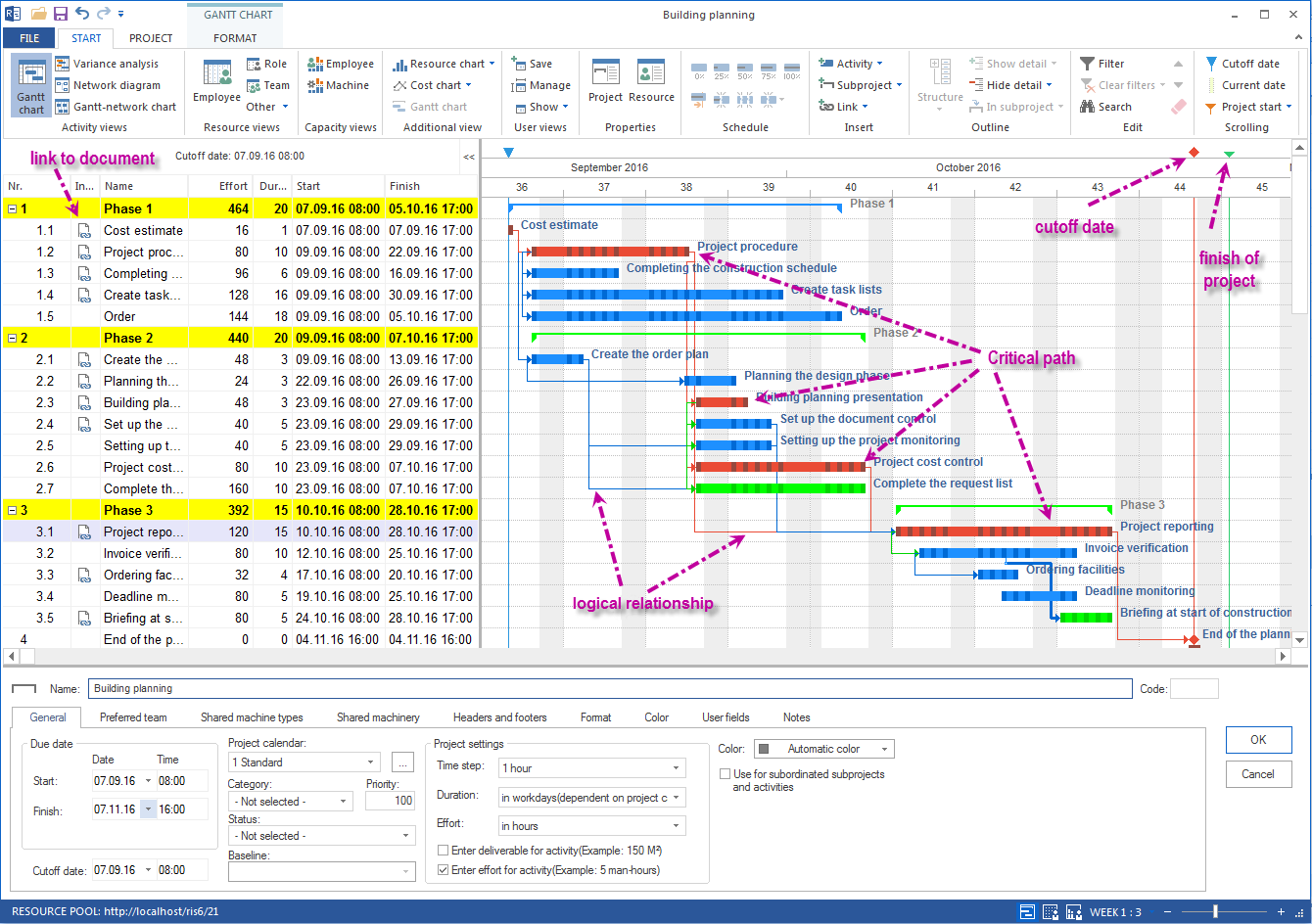
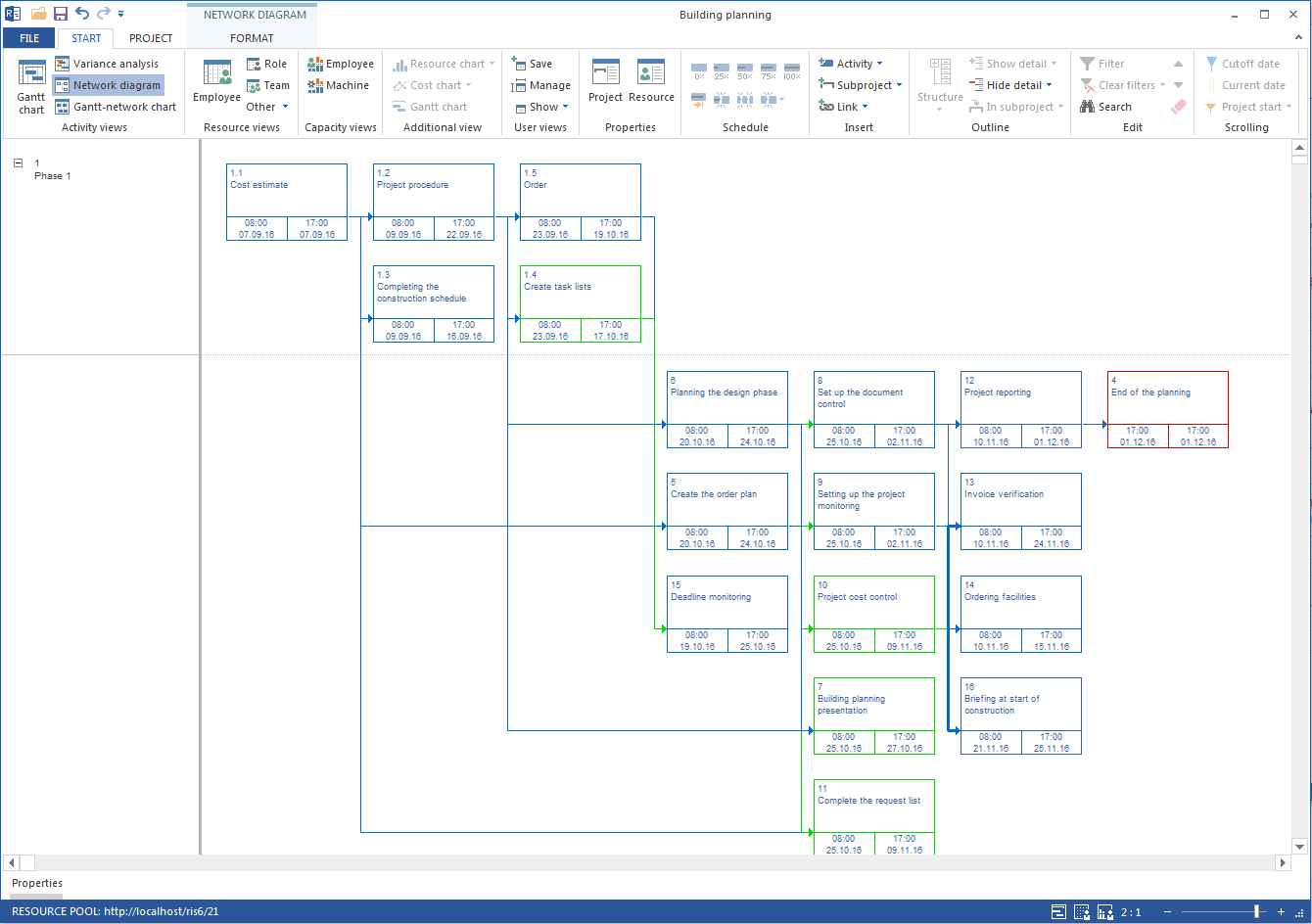
- Create the project workflow from phases and milestones graphically as a Gantt chart, network diagram and more
- Unlimited structure depth
- Temporal links between project steps
- Changes monitoring and traceability of changes
- Start and/or end date can be defined
- Forward and backward scheduling
- Critical path and buffer time
- Linking to project-specific documents
Project controlling
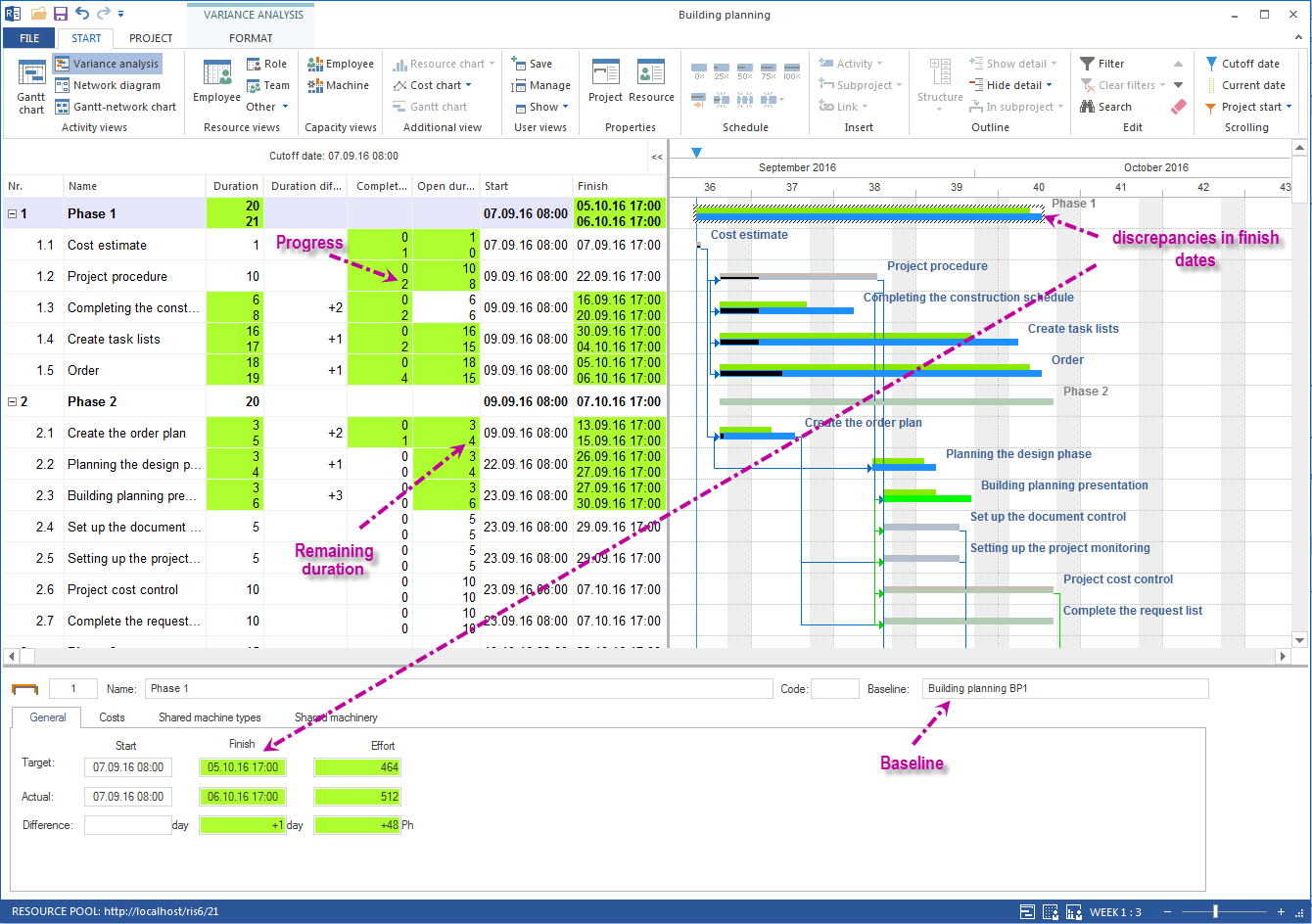
- Baselines
- Information about discrepancies in dates in a target/actual variance analysis view
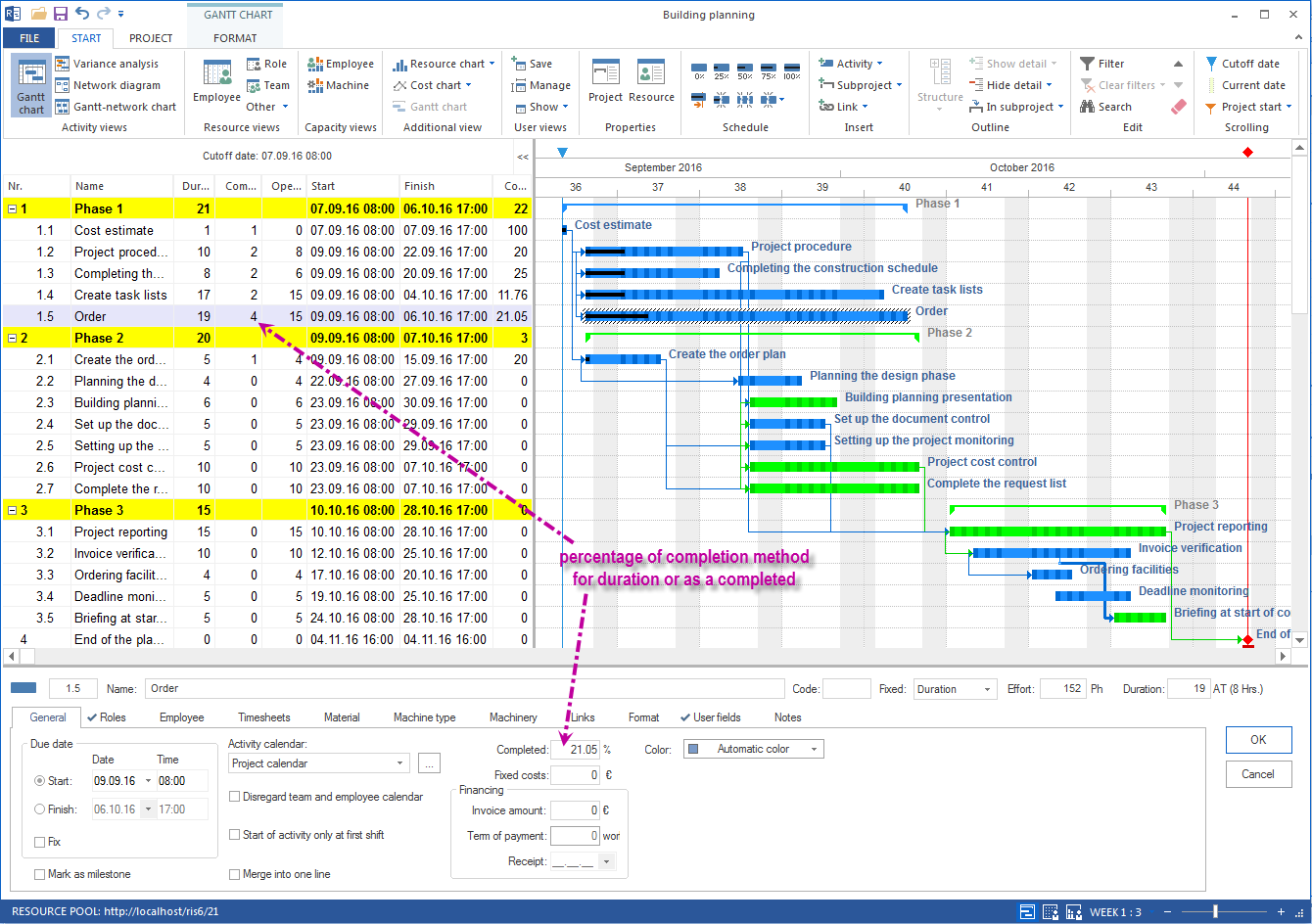
- Input of progress / percentage of completion
- Indication of remaining time
Import / export from and to MS Project
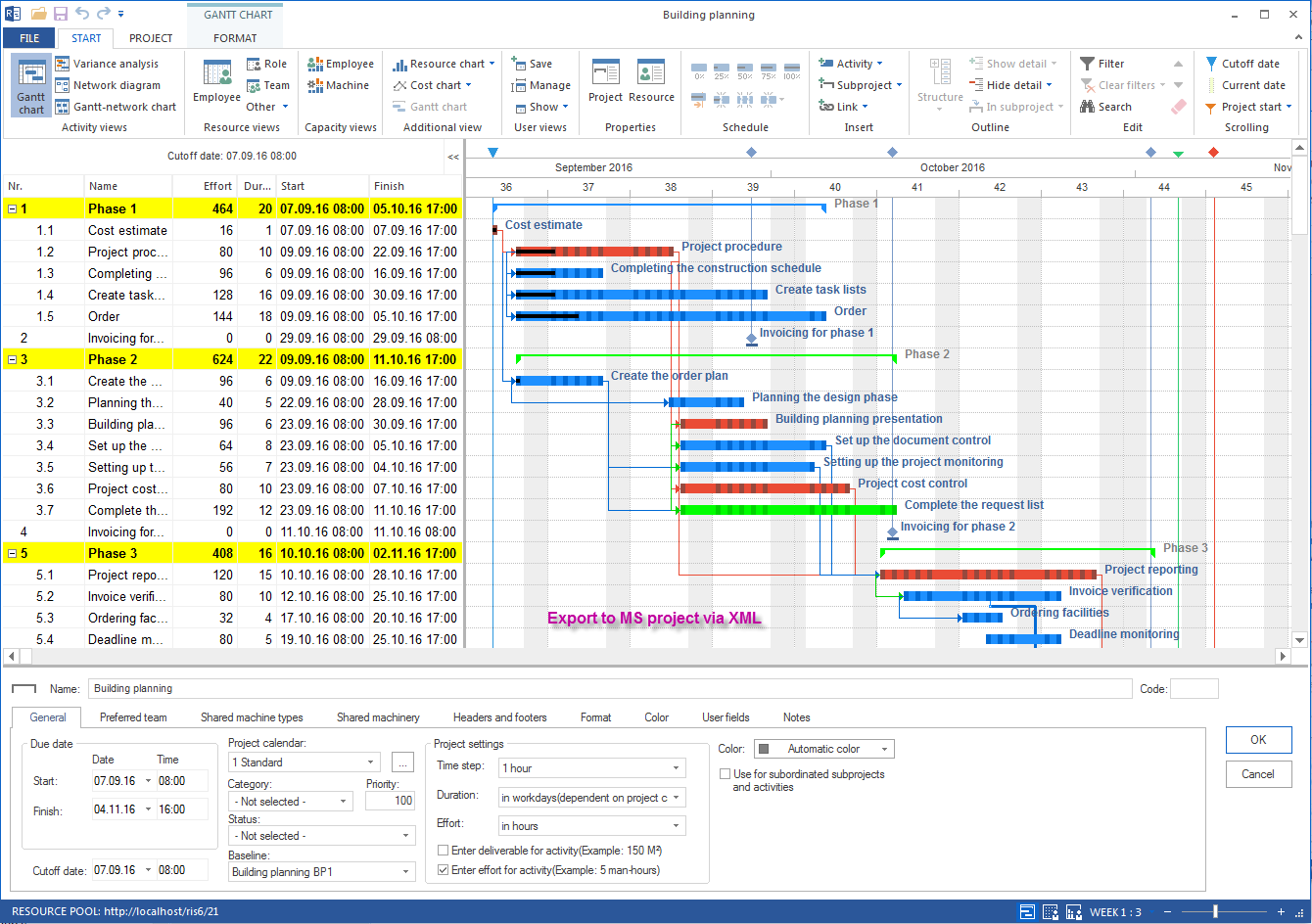
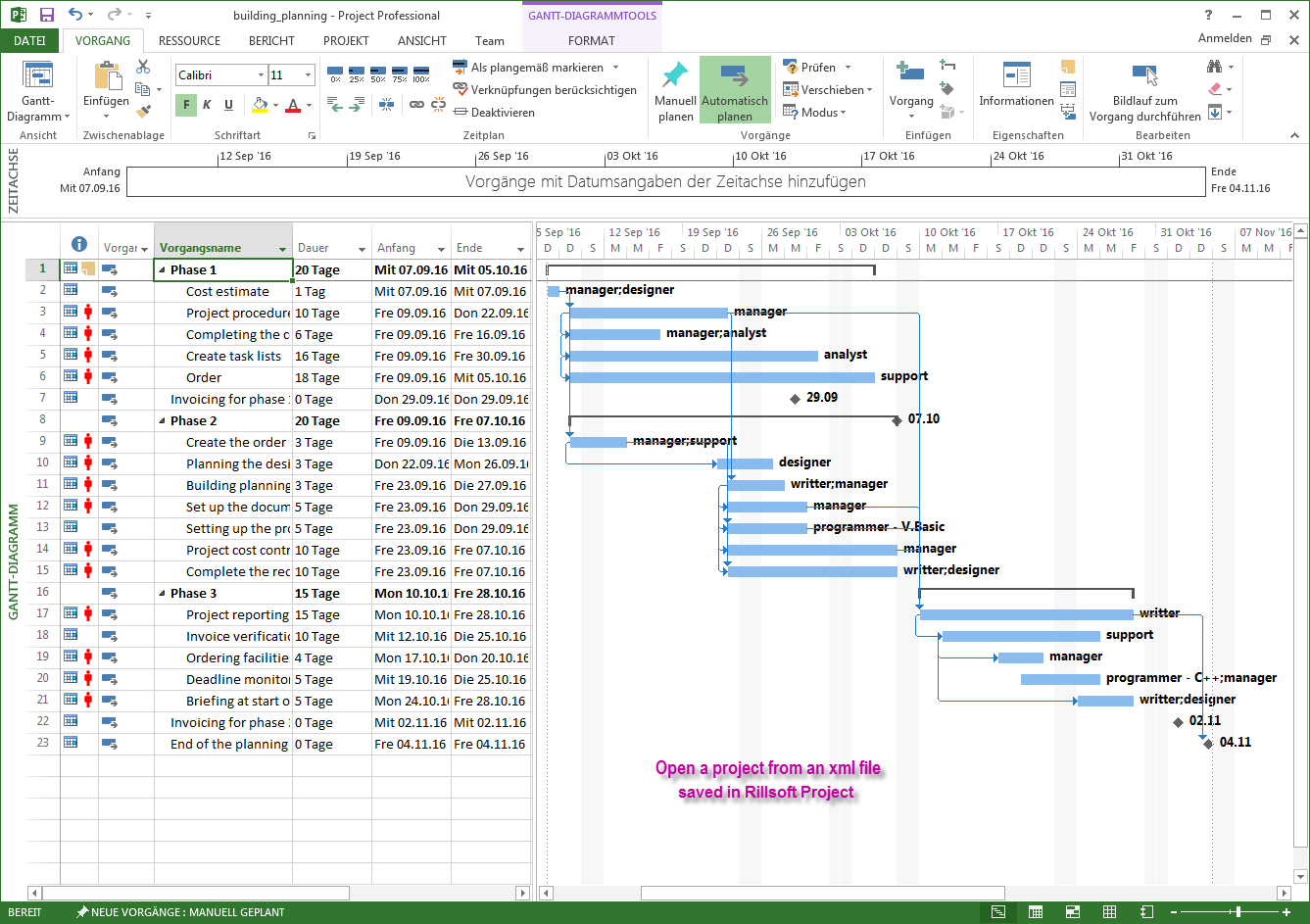
Projects can be exported to MS Project via XML and imported from MS Project. Dates, duration, resources, user-defined fields and notes are transferred.
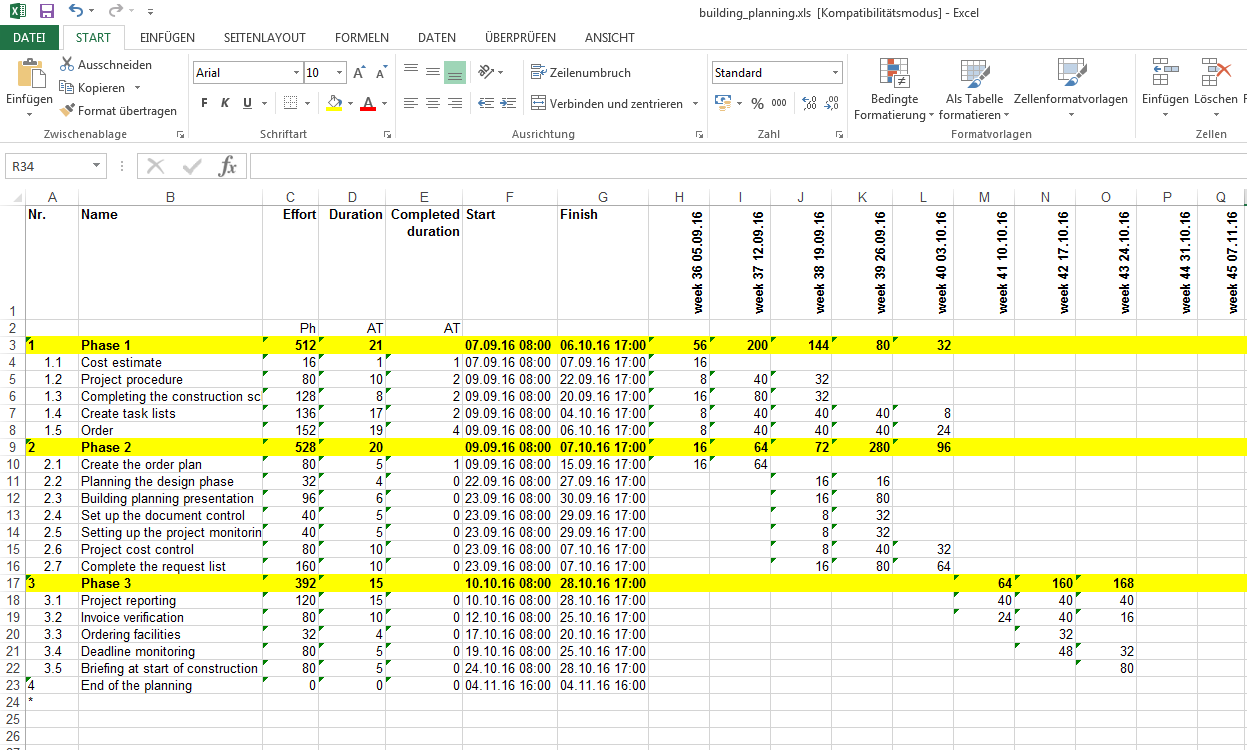
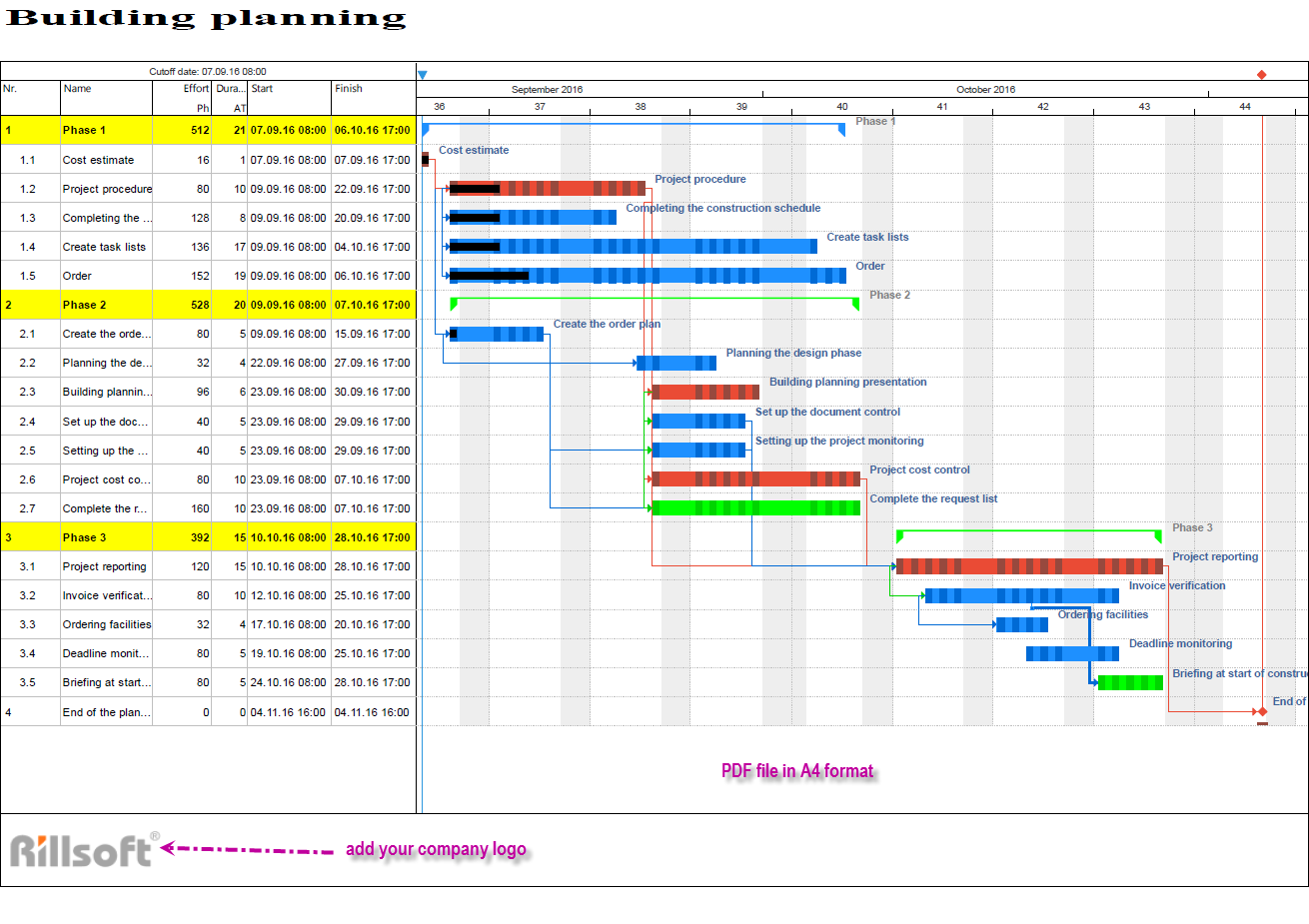
Project plan export to Excel and print as PDF
Display the project workflow in Excel or print it as a PDF file in the required format.
Multi-project capability
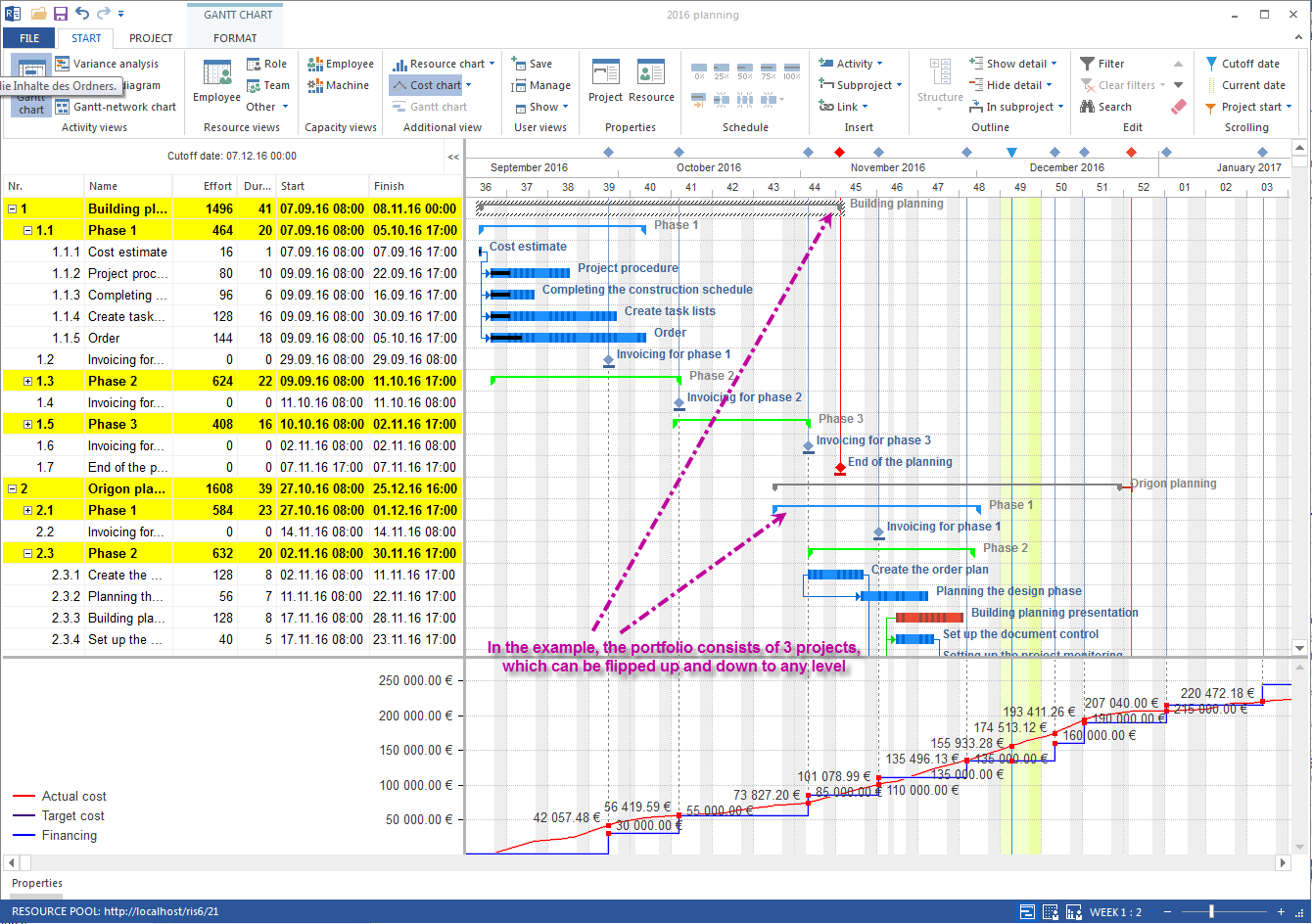
All active projects of the engineering office can be grouped into one portfolio or several portfolios. This makes it visible which dates, resources and project changes influence each other.
Cost planning
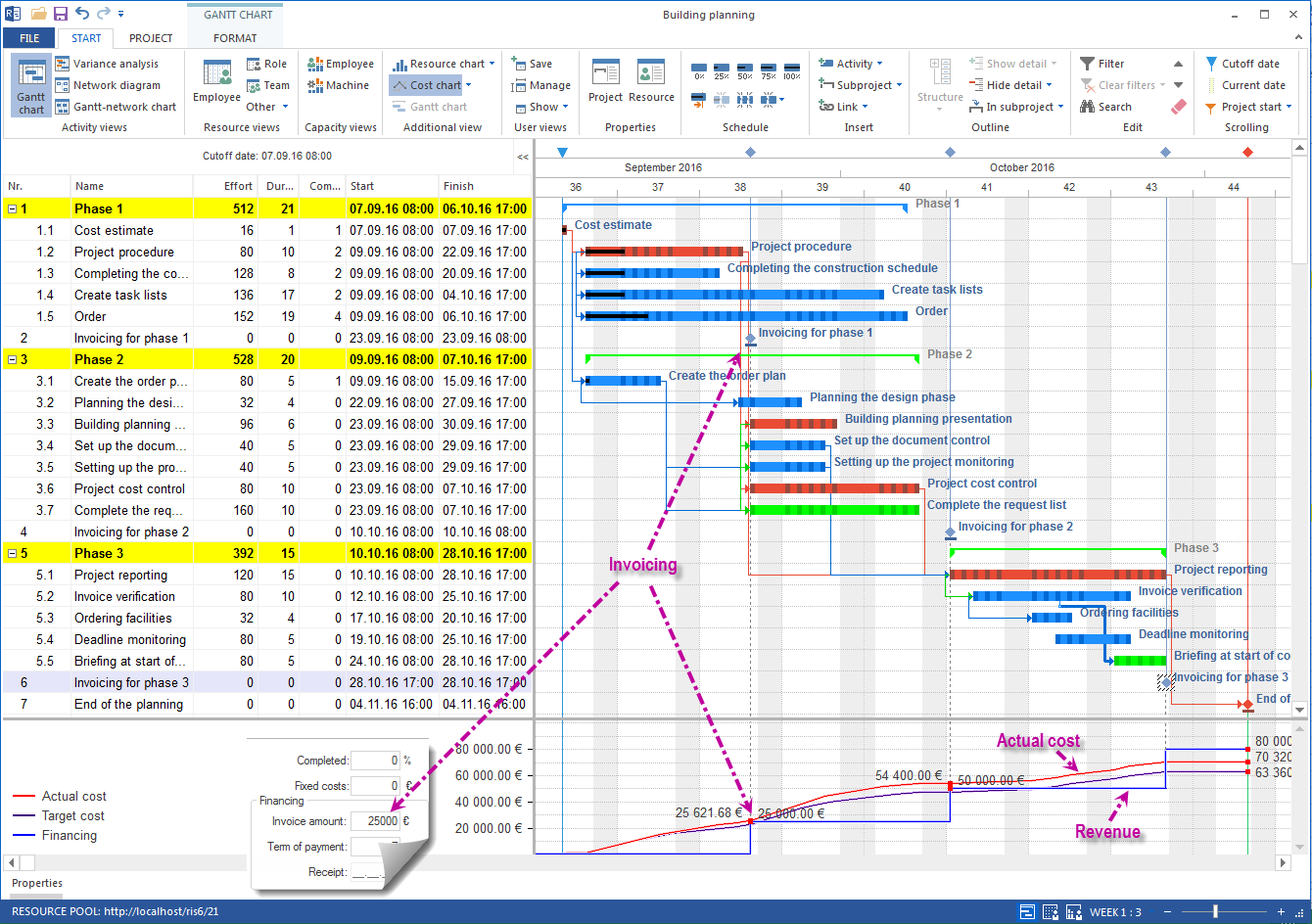
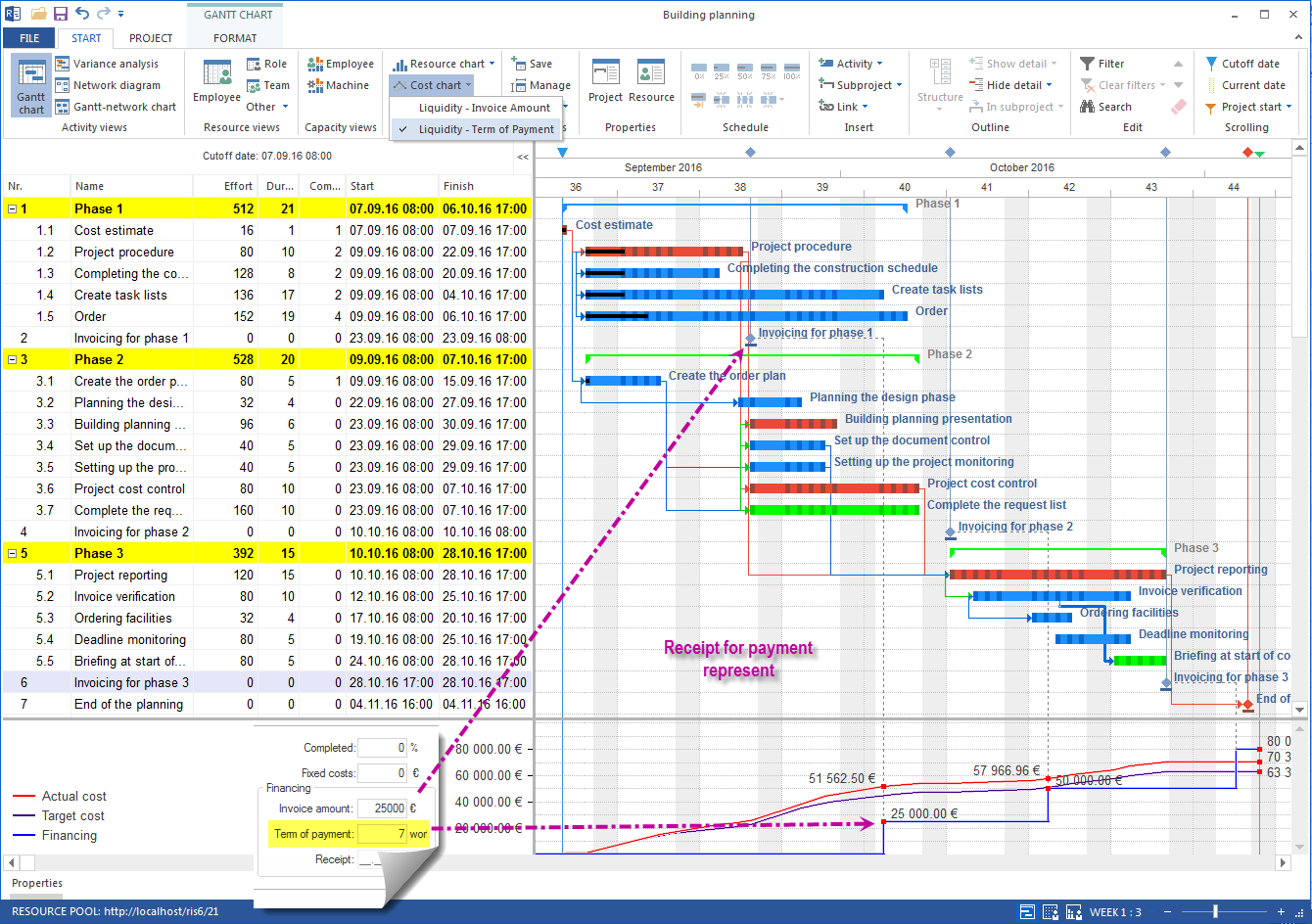
The financing functionality lets you compare planned cash inflows against project expenses, making investment risks such as pre-financing clearly visible.
Software behind it and related use case
Rillsoft Project combines scheduling in the engineering office with a resource pool, multi-project and controlling view — in a single application. A closely related use case with the same requirements for skills and capacity: resource scheduling in the IT company.