
Document Management System (DMS)
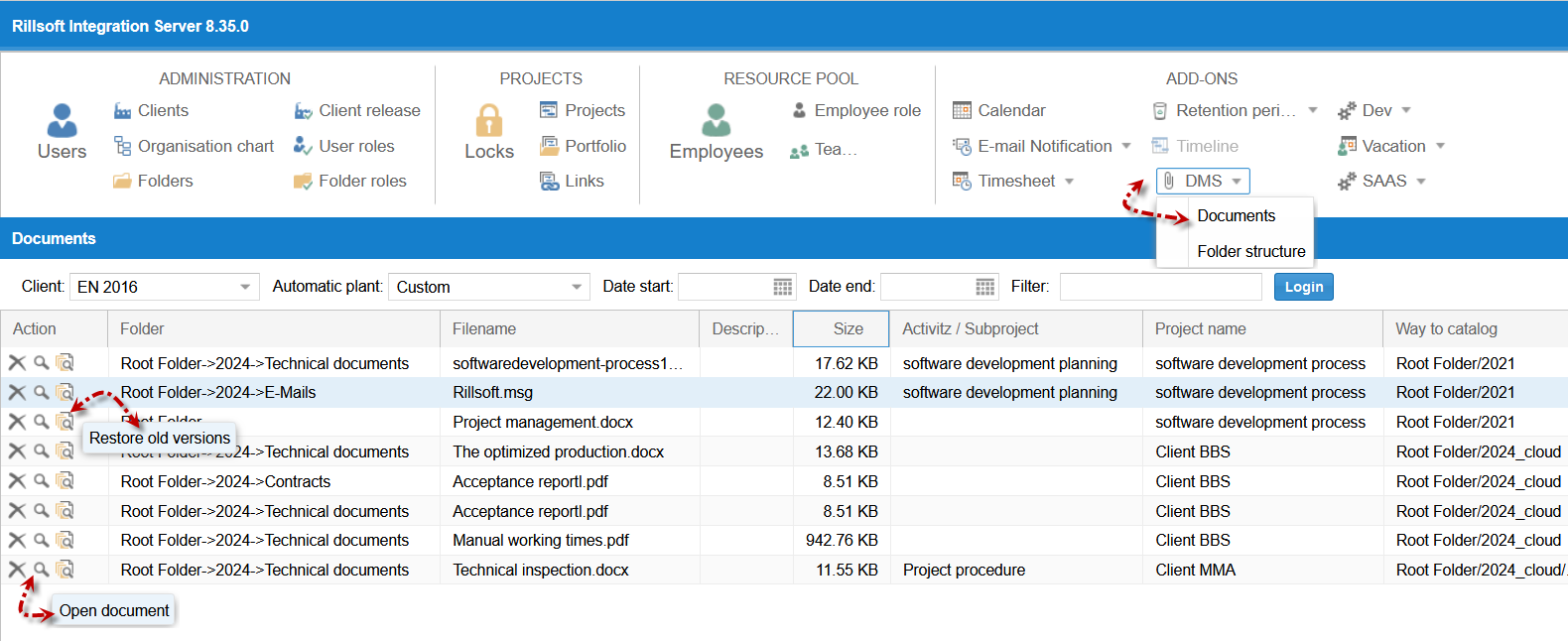
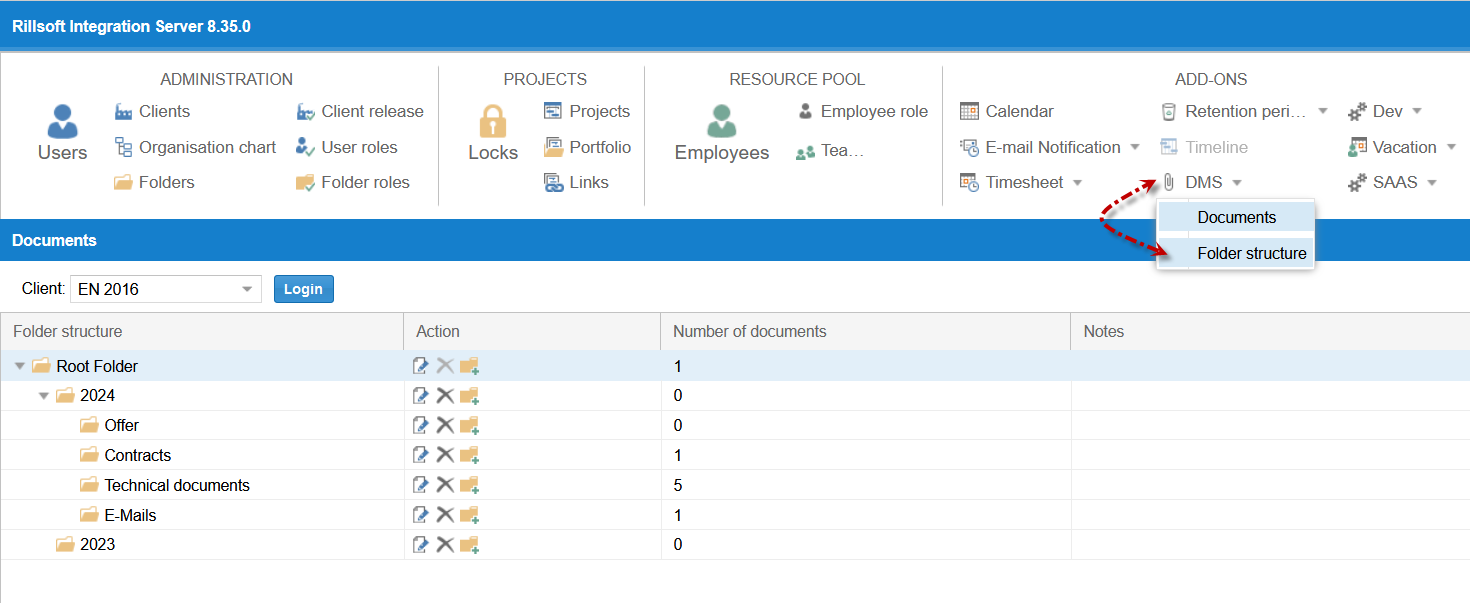
The Document Management System (DMS) module enables the central management of project documents in Rillsoft Integration Server. Requirements, plans, minutes and approvals are no longer scattered across network drives but stored audit-proof directly at the project, subproject and task – on the same shared database used for planning and control.
As soon as several teams work on a project, reliable storage of project-relevant documents becomes a bottleneck: different versions, unclear responsibilities, lost states. The DMS module solves exactly this problem by tying every document to the project structure and keeping every version permanently traceable.
Documents linked to project, subproject and task
In the DMS, documents are stored together with a project, subproject and task in a predefined folder structure. Each document therefore has a clear functional reference point in the project plan:
| Storage level | Typical documents |
|---|---|
| Project | Project assignment, requirement specification, top-level approvals |
| Subproject | Partial specifications, acceptance protocols of a work package |
| Task | Work instructions, evidence, result files of individual tasks |
When looking at a task it is immediately clear which documents belong to it – without searching parallel file storages.
Audit-proof storage and restore
All documents are stored in an audit-proof manner. Every change creates a new revision, and earlier states are retained:
- All document revisions can be retrieved
- Every revision can be restored when needed
- Accidentally overwritten or deleted states are not lost
This keeps it traceable which version was valid and when – an important basis for audits, acceptances and target/actual comparisons.
Client-wide folder structure
The DMS folder structure is managed in Rillsoft Integration Server for the entire client and applies to all projects of the client. The benefit: documents are located in the same familiar place in every project. Anyone who knows where acceptance protocols or approvals are stored finds them reliably across all projects.
Maintaining the folder structure is a central administration task protected by its own role, so the company-wide filing system stays consistent.
Access rights via user and directory roles
Access to documents is controlled – as throughout the Rillsoft multi-user operation – through user roles and directory roles.
Read access requires:
- User role read documents
- User role read resource pool
- Directory role read project
Additional roles control who may do more, depending on the task:
| Right | Purpose |
|---|---|
| Create documents | Store new files at the project |
| Change documents | Save a new revision of an existing document |
| Delete documents | Remove documents that are no longer needed |
| Restore documents | Recover deleted documents or earlier revisions |
| Manage folder structure | Maintain the client-wide filing system |
This keeps it visible and controllable who may read, update or manage project documents.
Storage limits and retention
The DMS module can be controlled by the administration:
- The maximum document size can be limited through the client properties – the administration controls the storage volume.
- When a project is deleted, the associated documents are deleted with it.
- Deleted documents are permanently removed from the database after the retention period expires; until then they remain available through restore.
DMS functions at a glance
- Central management of project documents in Rillsoft Integration Server
- Storage together with project, subproject and task in a predefined folder structure
- Audit-proof storage – all revisions retrievable and restorable
- Client-wide folder structure for all projects of the client
- Fine-grained rights via user and directory roles (read, create, change, delete, restore, manage folder structure)
- Document size limitable through client properties
- Automatic cleanup: documents are deleted with the project and removed permanently after the retention period
- Available with Rillsoft Integration Server (on-premise) or Rillsoft Cloud (hosted)
DMS within the Rillsoft platform
Document management is a building block of the server-based multi-user architecture of Rillsoft. It uses the same database and the same directory and role logic as capacity planning, multi-project management and the other Integration Server modules such as e-mail notification, iCalendar and timesheet.
This is how Rillsoft brings planning, control and project documentation together on one platform – documents reside where the planning happens and remain traceable across their entire history.