
Project task notifications by e-mail
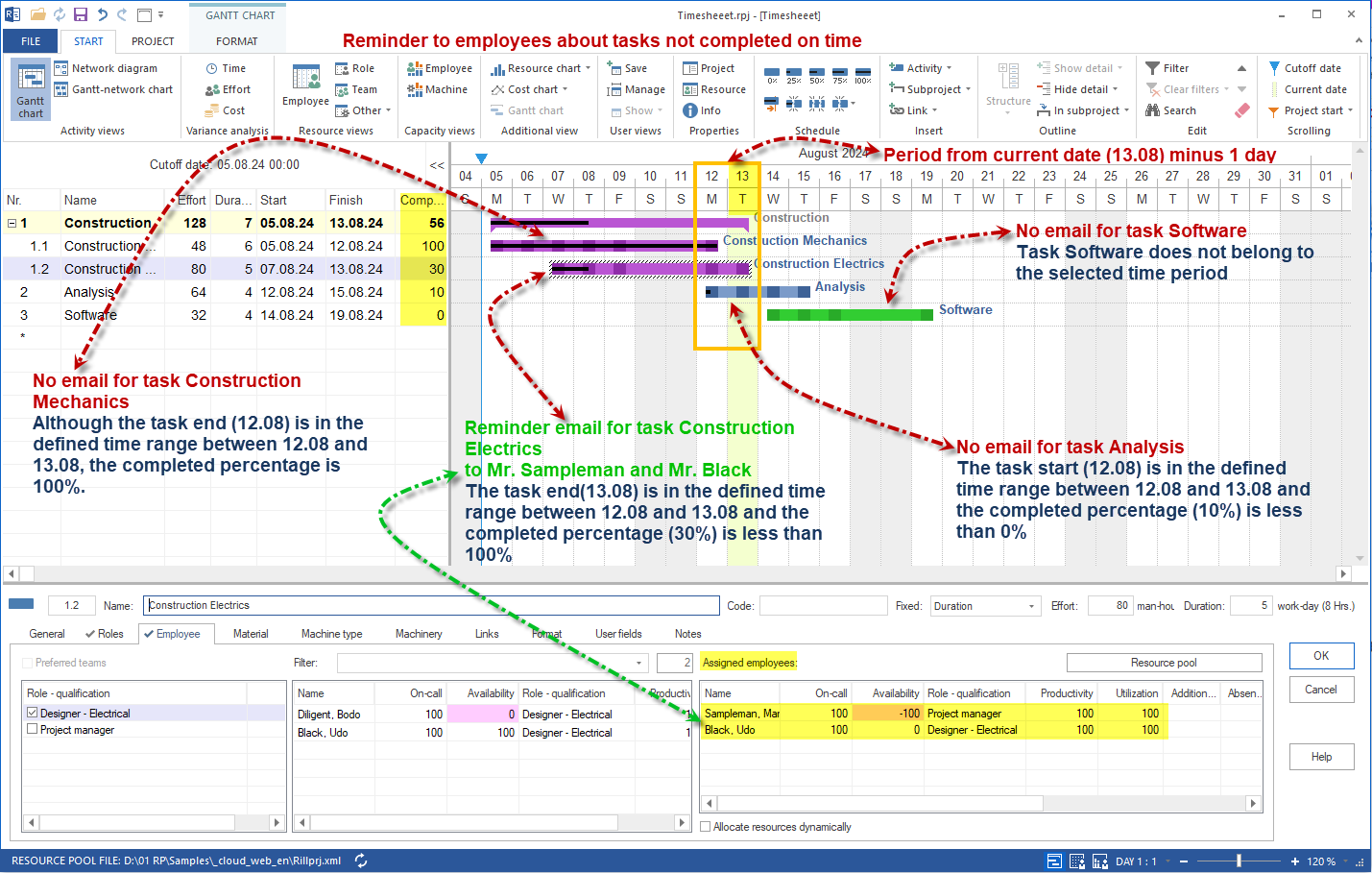
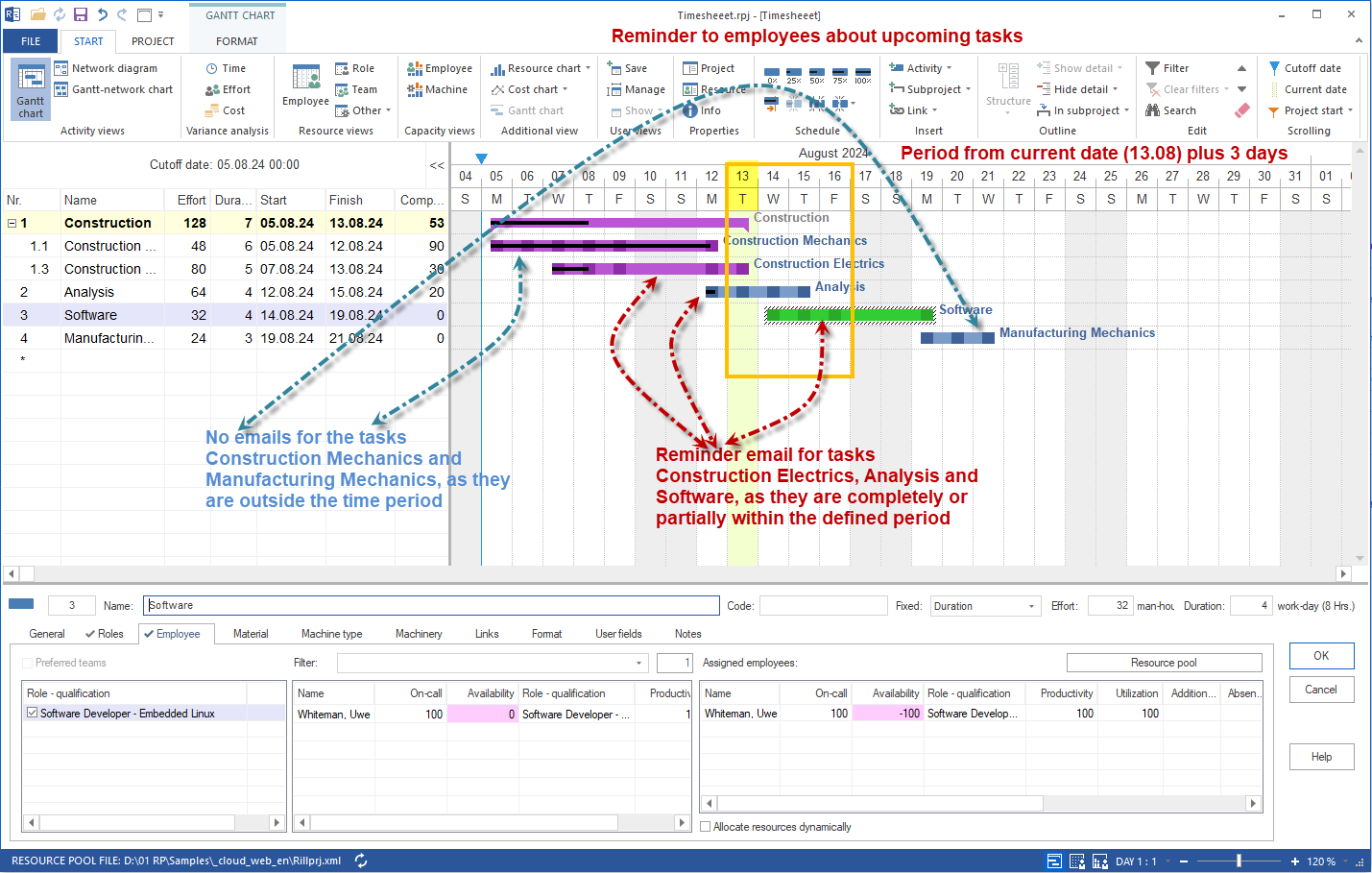
The E-Mail Notification module for Rillsoft Project with an interface to the Integration Server automatically sends project-related e-mails to the users and employees involved in a project. Upcoming tasks, overdue work, deadline changes and shifted milestones are communicated without anyone having to actively check the plan.
In distributed teams, timely information determines schedule reliability: anyone who only learns of a shift at the status meeting reacts too late. E-mail notification closes this gap by reaching the participants proactively and automatically.
Which notifications are sent
The module covers the most important triggers in everyday project work:
| Notification | Recipient | Trigger |
|---|---|---|
| Upcoming tasks | Employee | Task is due within the defined lead time |
| Overdue tasks | Employee | Task was not completed on time |
| Task deadline change | Employee | The deadline of an assigned task changes |
| Subordinate user deadline change | Superior user | A deadline of a subordinate employee changes |
| Milestone date change | User | A milestone is shifted |
Each participant thus receives exactly the information relevant to their role – without drowning in unimportant messages in the inbox.
Reminders about upcoming and overdue tasks
Two of the most effective notifications go directly to the executing employees:
- Reminder about upcoming tasks – employees are informed in good time before the planned start and can prepare.
- Reminder about tasks not completed on time – if a task remains open, the employee receives an automatic reminder so that delays become visible early.
Both reminders reduce manual follow-up by project management and keep feedback discipline high.
Notification about deadline and milestone changes
When deadlines change, fast communication is decisive. The module notifies:
- Employees about deadline changes of their assigned tasks
- Users about deadline changes of the employees subordinate to them
- Users about milestone date changes
Both the executing level and the controlling level thus learn about shifts promptly – the prerequisite for catching knock-on effects on other tasks in time.
Time parameters: configuring lead time and look-back
When a notification is triggered is controlled by time-based parameters in days:
- Upcoming tasks – lead time used to remind before the planned start
- Overdue tasks – look-back of how many days back open tasks are reported
- Deadline changes – time window in which changes are considered for the message
This way the sending rhythm can be matched to the actual response times of the teams.
Settings and permissions
E-mail notification is configured centrally in Rillsoft Integration Server:
| Task | Required role |
|---|---|
| Edit e-mail templates | Client administrator |
| Define deadlines and triggers | Root directory administrator |
The settings are made in the administration under directories in the E-Mail Notification tab. Who receives which notification results from the directory roles and the administration organization chart.
E-mail notification functions at a glance
- Automatic sending of e-mails to the people involved in a project
- Reminder about upcoming tasks with configurable lead time
- Reminder about overdue tasks with configurable look-back
- Notification of employees about deadline changes of their tasks
- Notification of users about deadline changes of subordinate employees
- Notification about milestone date changes
- Time parameters in days for lead time, look-back and change window
- Configuration via e-mail templates and deadlines, protected by administrator roles
- Recipient control via directory roles and the administration organization chart
- Available with Rillsoft Integration Server (on-premise) or Rillsoft Cloud (hosted)
E-mail notification within the Rillsoft platform
E-mail notification is a module of the server-based multi-user architecture of Rillsoft. It draws on the same administration organization chart and the same directory roles as the other Integration Server modules – iCalendar, timesheet and document management – and complements capacity planning and multi-project management with the timely communication of deadlines and tasks.
This is how Rillsoft ensures that relevant changes are not only in the plan but also reach the right recipients – automatically and according to role.