
Rillsoft Connect – the mobile client of the Rillsoft platform
Rillsoft Connect is the Android app of the Rillsoft platform. Employees, team leaders and project managers record working time, document progress with photos, request vacation and review the schedule of their project – at the workplace, on the go and even without a network connection. Whatever your industry and type of project: what gets recorded is always the task being worked on.
The app is available for Android on the Google Play Store. The download is free – the app is used with your organization’s Rillsoft account in the Rillsoft Cloud or on your own Rillsoft Integration Server.
Four tasks the app takes mobile
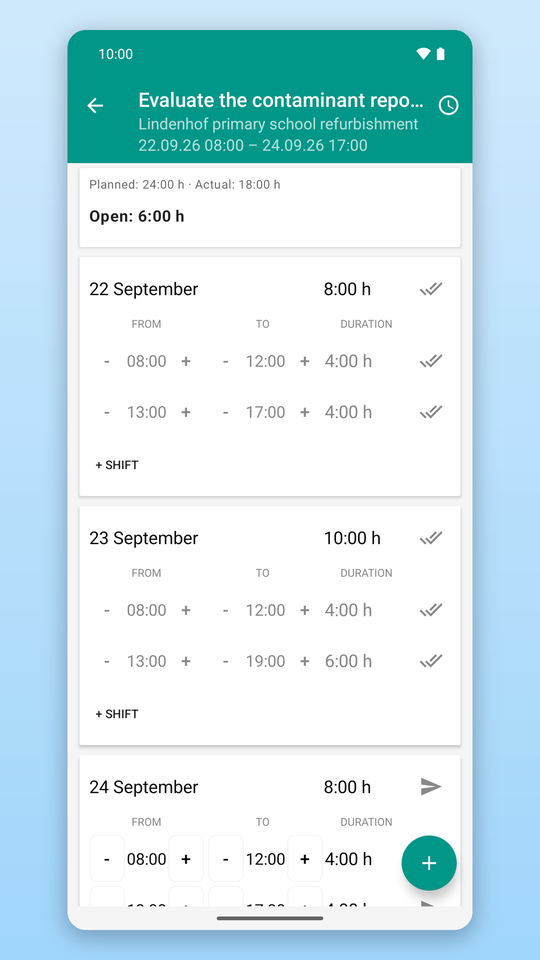
- Report time: record working time per task, day and employee – for one person or for a whole team. Planned and reported hours are kept apart: planned shifts as a template, reported entries with status (recorded, sent, confirmed); remaining effort and a note per task.
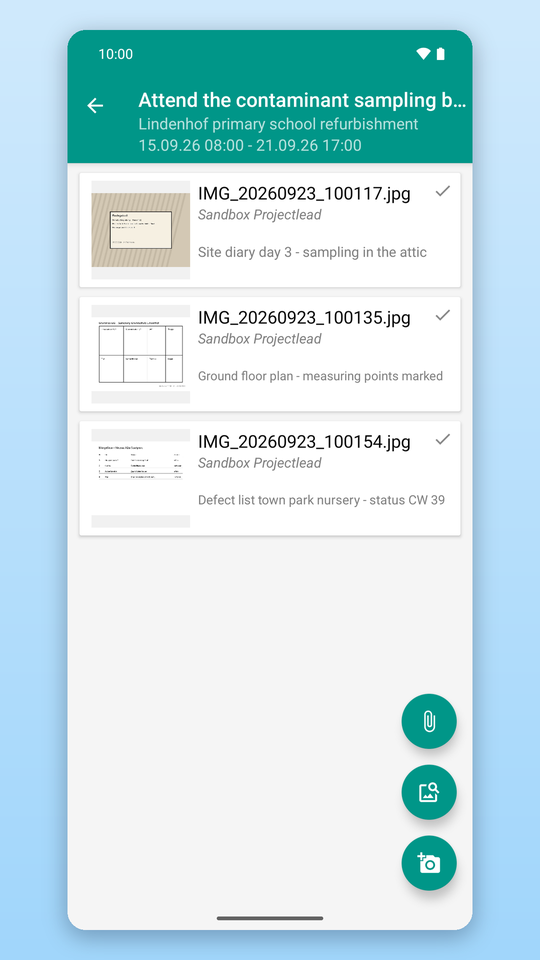
- Photos and documents: take or pick images, add captions and attach them to a task; download, view and add documents from the document management.
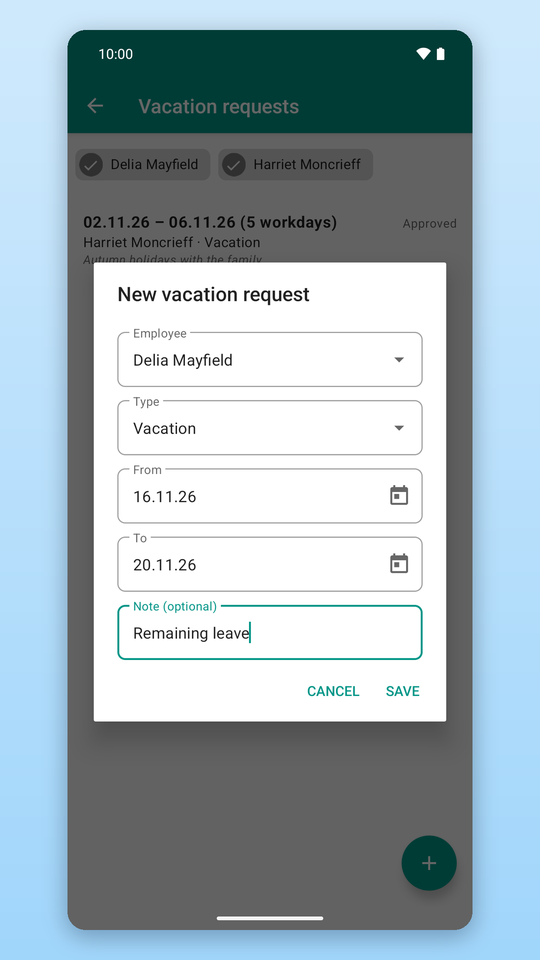
- Vacation: submit and cancel requests, view the team calendar.
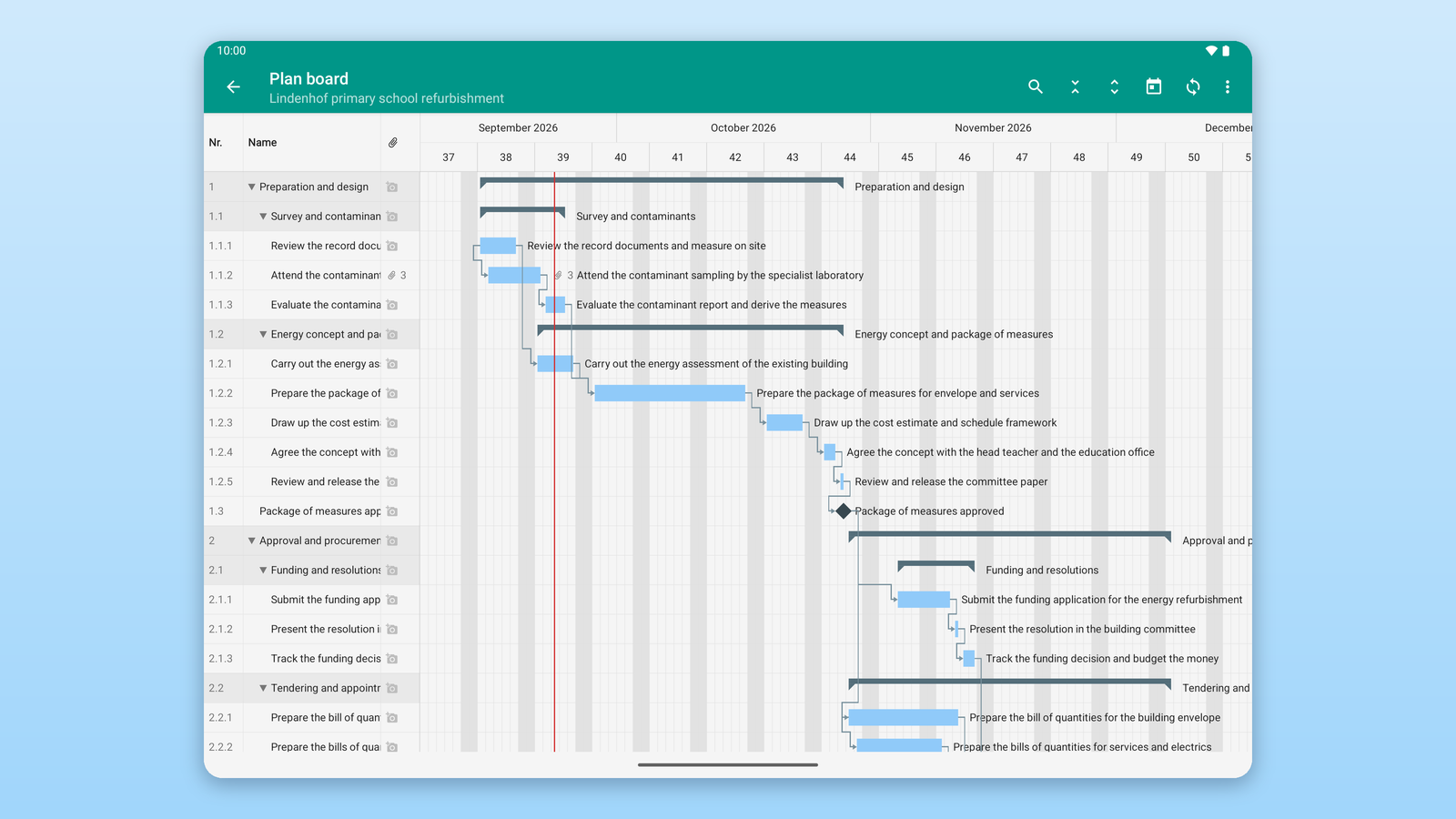
- Planning board (tablet optimized): table and bar chart with dates, milestones, links and photo counters – read only, with search across all tasks stored on the device.
Work offline, synchronize later
The data of your working period is stored on the device. Recording, taking photos and submitting requests works without a connection; as soon as the network is back, the app synchronizes in the background. Unsent changes stay visible until the server confirms them.
Roles: employees report, team leaders approve
Employees report time, photos and vacation for themselves – or, as team leaders, for several people at once. Team leaders and project managers review and approve reported time on the go; approval follows the roles and organigrams your organization has defined in the Integration Server or in the Rillsoft Cloud. Several tenants can be used with a single sign-in.
Requirements
- Android 7.0 or newer, smartphone or tablet
- A Rillsoft account of your organization in the Rillsoft Cloud or on your own Rillsoft Integration Server
- An active subscription or trial of the organization
- Internet connection for sign-in and synchronization
Your access is managed by your organization; you cannot create an account or buy anything inside the app. For sign-in problems please contact your organization’s administrator.
How to get started
- Install the app and sign in with your organization’s Rillsoft account – the Rillsoft Cloud is preset, on-premises customers enter the address of their server.
- Read the task list: the app shows the tasks you are working on.
- Report your first time entry – and add a photo, remaining effort or a note if needed.
The quick start in the user help explains this step by step; the complete Rillsoft Connect user help contains task-oriented help, roles, expert knowledge and reference.
Data and security
The app transfers data only over an encrypted connection (HTTPS) to your organization’s Rillsoft server. No advertising IDs, no tracking, no sharing with third parties. Signing out removes credentials, the local database and downloaded documents from the device. Details: privacy policy for Rillsoft Connect.
Try Rillsoft Cloud for 30 days
Rillsoft Connect adds mobile access to the server-based functions timesheet, vacation planning and document management. No Rillsoft account yet? Try Rillsoft Cloud free for 30 days – the app signs in there without any further setting.