
Split project and merge Summary Project
Rillsoft Project 9 in combination with Rillsoft Integration Server or Rillsoft Cloud splits a large project along its subprojects into several independent projects and merges them back into a Summary Project. Real multi-user work becomes possible without planners locking each other out.
Split project – multi-user work becomes possible
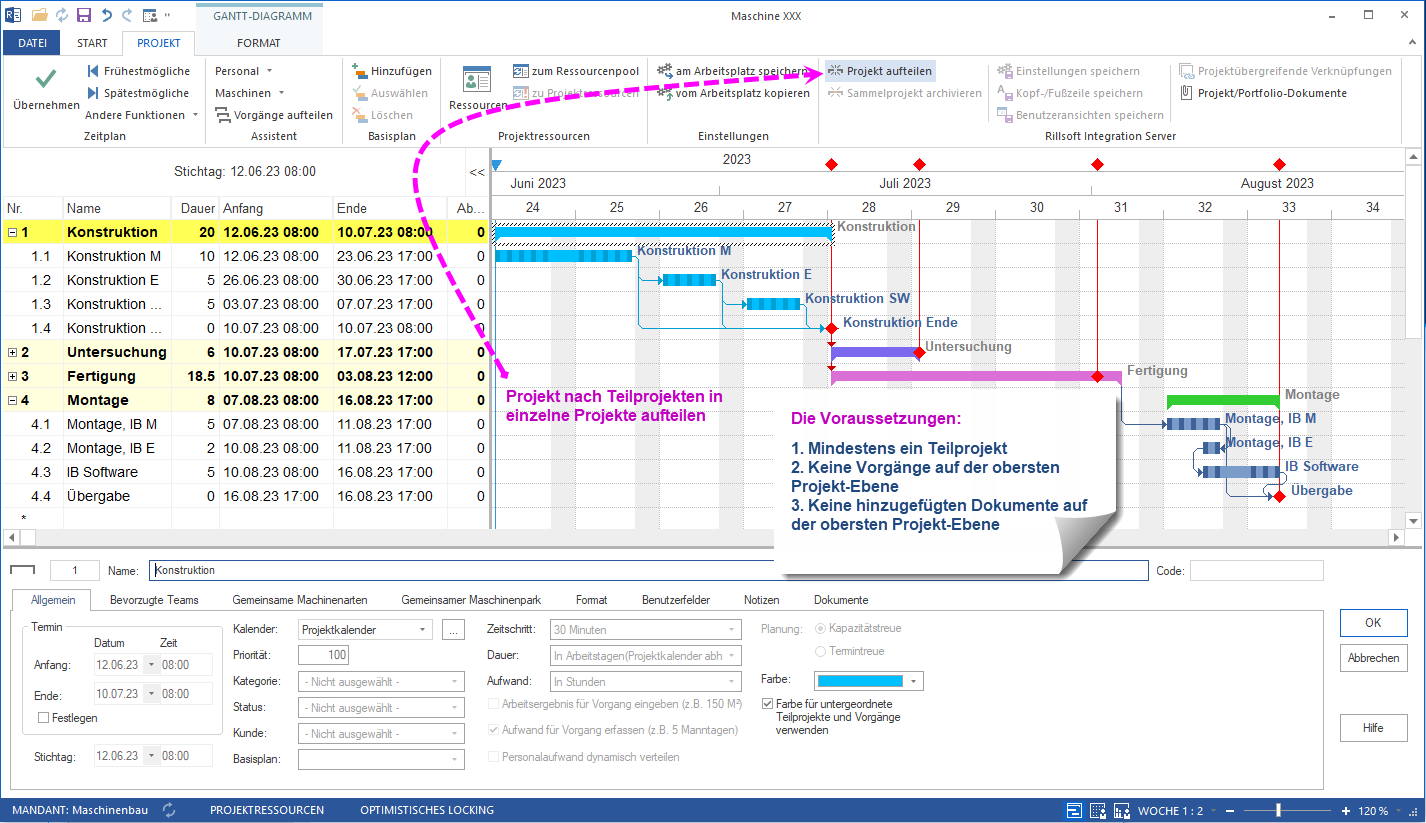
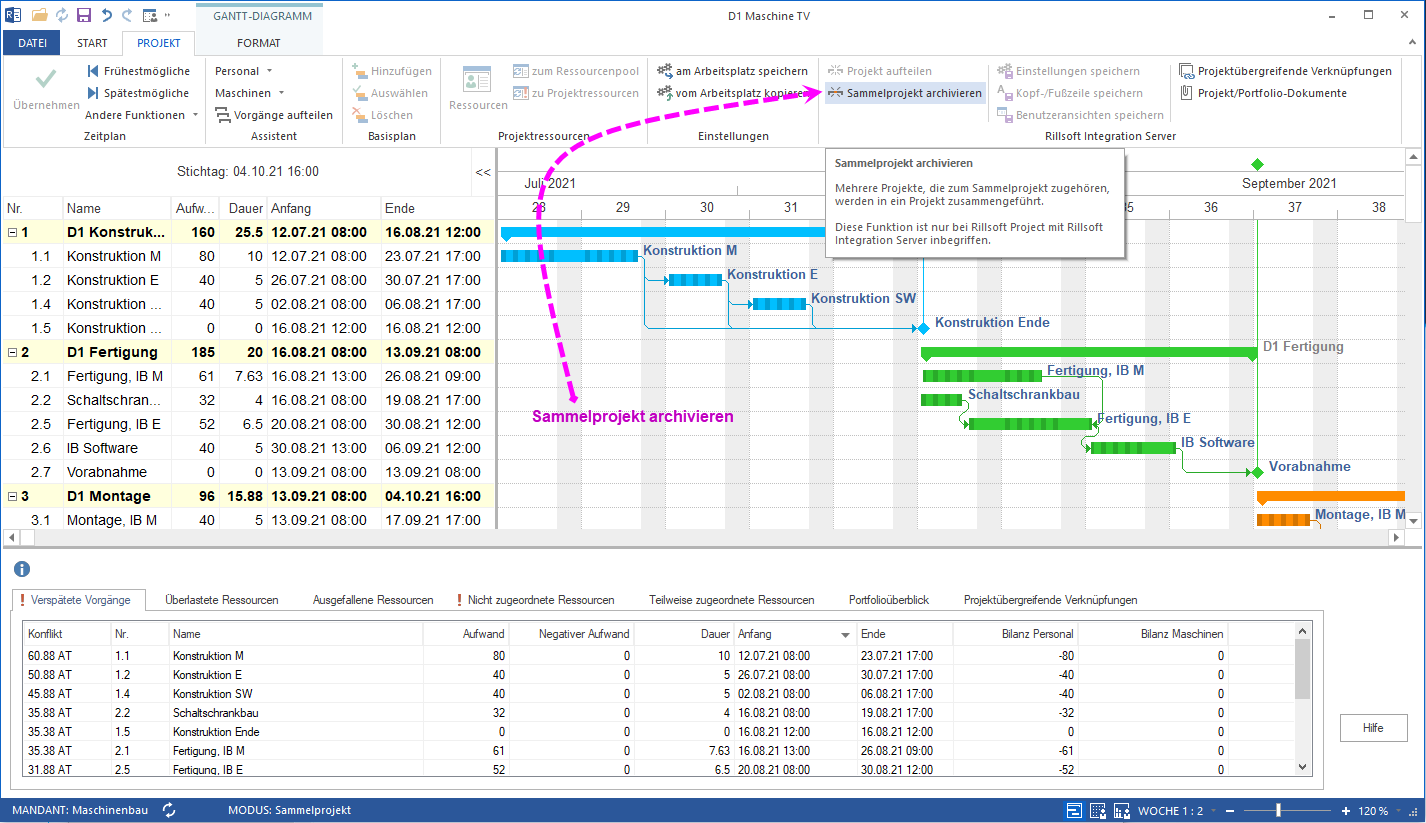
A project is broken into multiple projects along its subprojects. Each subproject is stored as a separate project in a predefined directory. Afterwards the stored projects are combined into a Summary Project via the Create Summary Project function.
Prerequisites for the split:
- At least one subproject exists
- No activities on the top project level
- No documents attached on the top project level
What multi-user work means in practice
| Before (one large project) | After the split |
|---|---|
| Only one planner can write | Several planners work in parallel on subprojects |
| Editing becomes a bottleneck | Subproject teams work independently |
| Overall view from a single document | Overall view from Summary Project + portfolio |
Individual project teams or planners focus on their own tasks and avoid waiting on other teams.
Summary Project and portfolio together
Merging individual projects into a Summary Project and adding them to a project portfolio provides:
- Overview of overall status for project managers and executives
- Monitoring of subprojects and deadlines in one place
- Consistent data basis for utilization, dates and reports
- Improved coordination between the teams involved
Merge Summary Project and archive
Once the subprojects are completed, the Merge Summary Project function combines them back into a single project for archiving. The completed work stays compact and remains available as a reference for future planning.
Related to multi-user architecture
- Rillsoft Integration Server – on-premise server for multi-user project management
- Rillsoft Cloud – hosted variant for distributed teams
- Update portfolio – keep data current in multi-user mode