
Milestones in personnel view and on collapsed subprojects
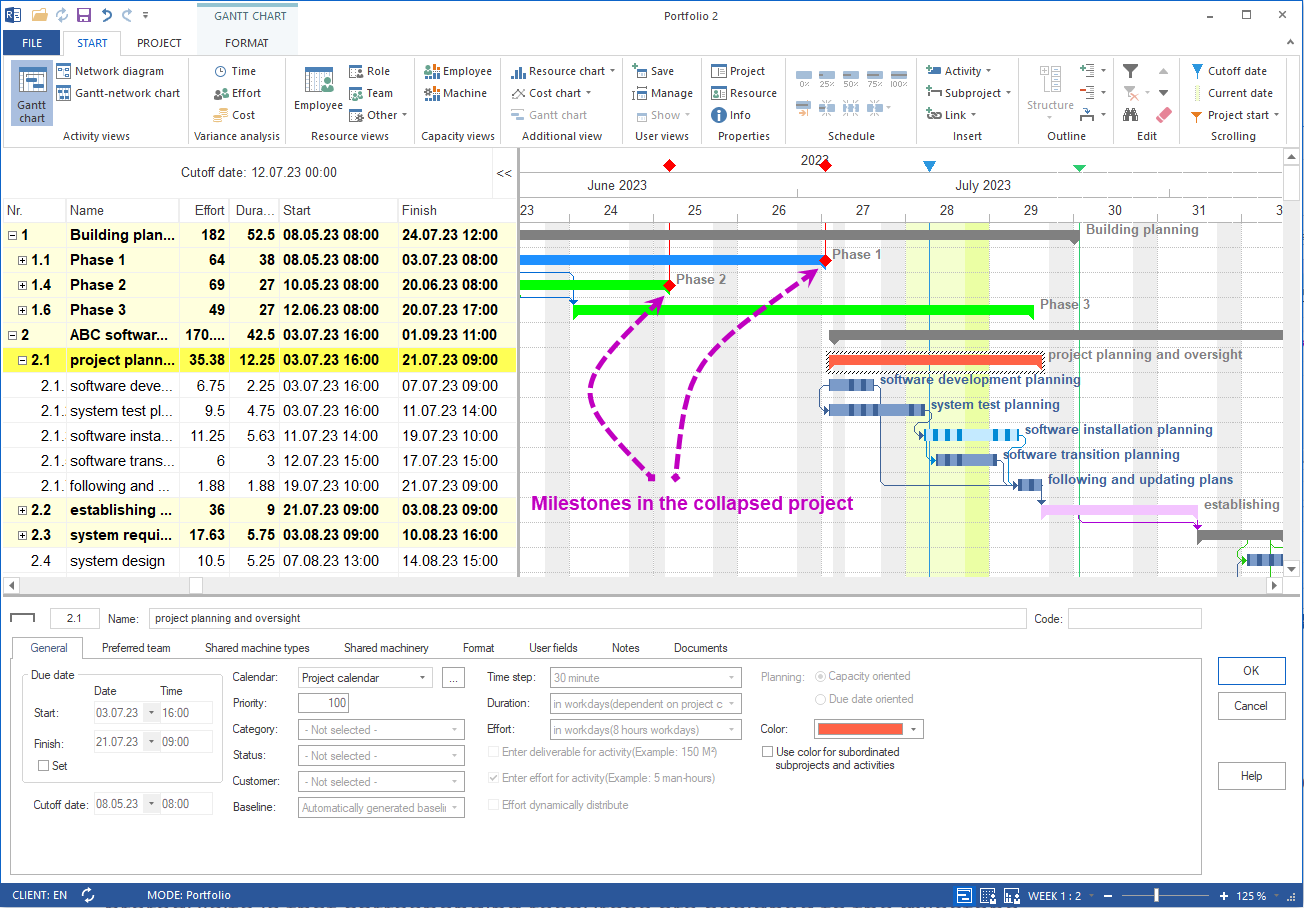
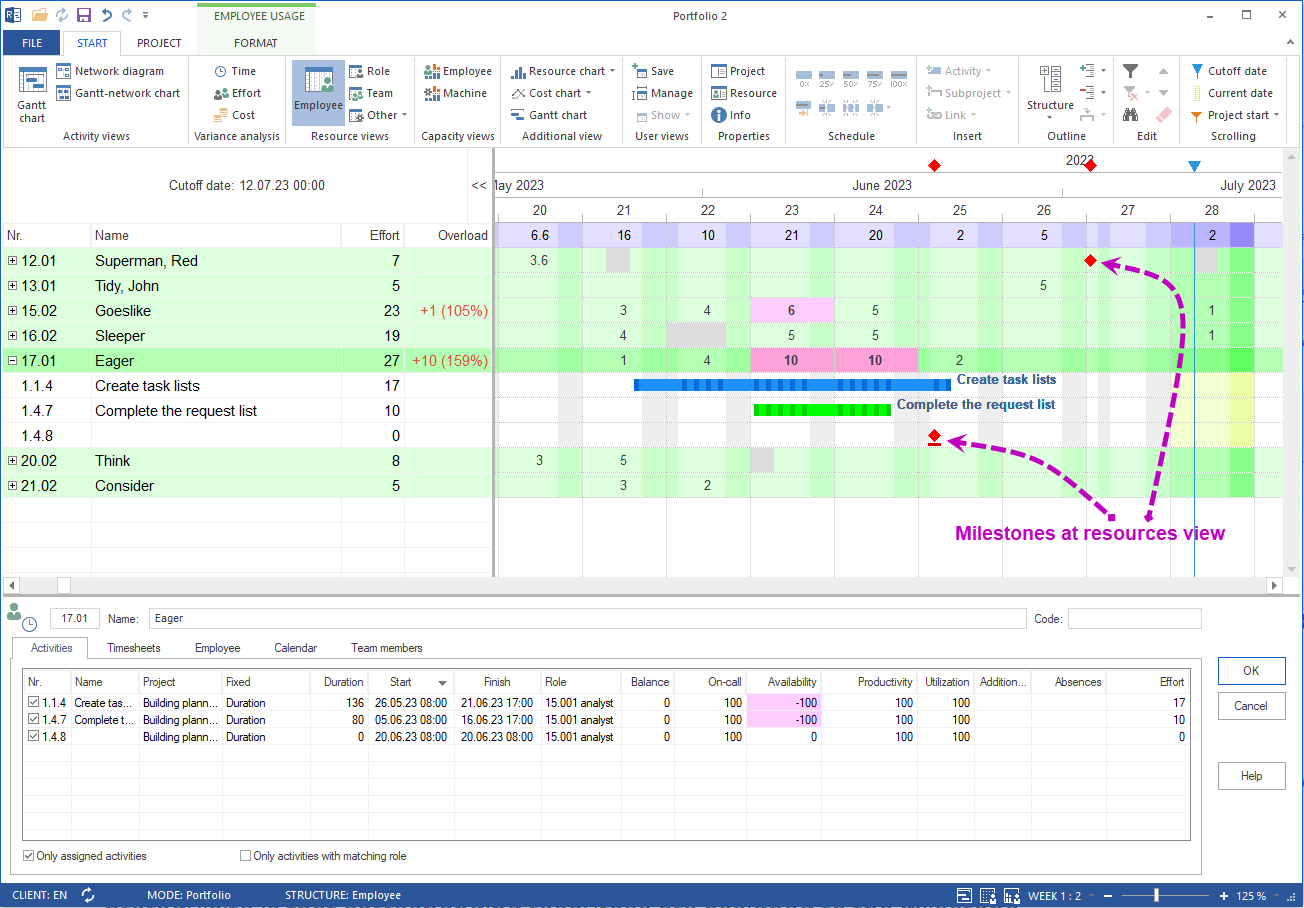
From Rillsoft Project 9 onwards, milestones are no longer shown only in the Gantt chart. They also appear in resource and capacity views – including when projects, subprojects or resource units are collapsed.
What was possible before?
Through Rillsoft Project 8, milestones were displayed only in the Gantt chart as separate diamond symbols, color-coded against the activity bars and marked on the timeline. In resource views they were invisible.
What Rillsoft Project 9 adds
| View | Milestones visible | Prerequisite |
|---|---|---|
| Gantt chart | yes | – |
| Personnel view | yes (new) | resource assigned |
| Capacity balancing | yes (new) | resource assigned |
| Collapsed projects/subprojects | yes (new) | – |
Milestones are therefore visible everywhere project managers, resource owners and planners work – not only in the classic schedule view.
Typical milestones being represented
- Completion of an important project phase
- Completion of a key part
- Reaching a deadline (acceptance, delivery, release)
- External mandatory dates (audits, customer presentations)
Practical benefit
When a milestone is already visible in the personnel view, the resource owner sees at once which person is tied to a hard date. Bottlenecks around deadlines can be addressed in advance, without having to step over to the Gantt chart.
Related to resource and project planning
- Staff scheduling software – plan employees and qualifications
- Capacity planning software – detect bottlenecks and free capacity
- Multi-project management – track deadlines across projects