
Workforce planning for mechanical engineering companies
Rillsoft Project supports mechanical engineering companies in planning orders, personnel, machines, qualifications and capacities across projects. The software helps check realistic delivery dates already at quotation and rough planning stage and identify bottlenecks before detailed scheduling.
The aim is to introduce a software solution that supports the order workflow from quotation through design and production to dispatch in the mechanical engineering business area. Rillsoft Project combines workforce scheduling, resource planning and capacity planning for this purpose.
What software helps with workforce planning in mechanical engineering?
Suitable software for workforce planning in mechanical engineering should consider working time, absences, qualifications, machines and several parallel orders. Rillsoft Project shows which employees with which skills are available and how new or shifted orders affect existing projects.
Requirements for workforce planning in mechanical engineering
- On order receipt, a rough plan should be carried out in order to commit a realistic delivery date to the customer.
- Within this rough plan, project managers carry out the detailed planning and keep it up to date.
- Available resources can be captured in the software and assigned to tasks.
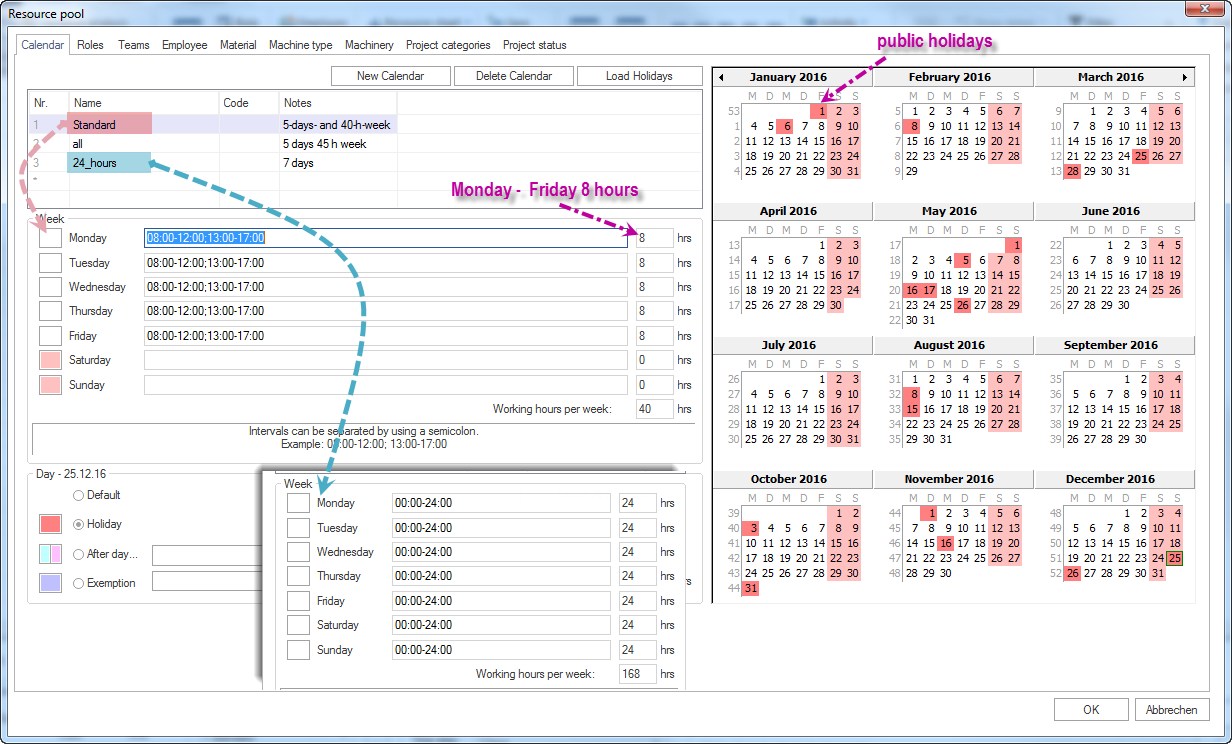
- Different daily working hours (Monday-Thursday 8.5 hours, Friday only 6 hours)
- Some projects also run on weekends
- Utilization should be visible both overall and for individual areas.
- Overall planning across several orders at the same time
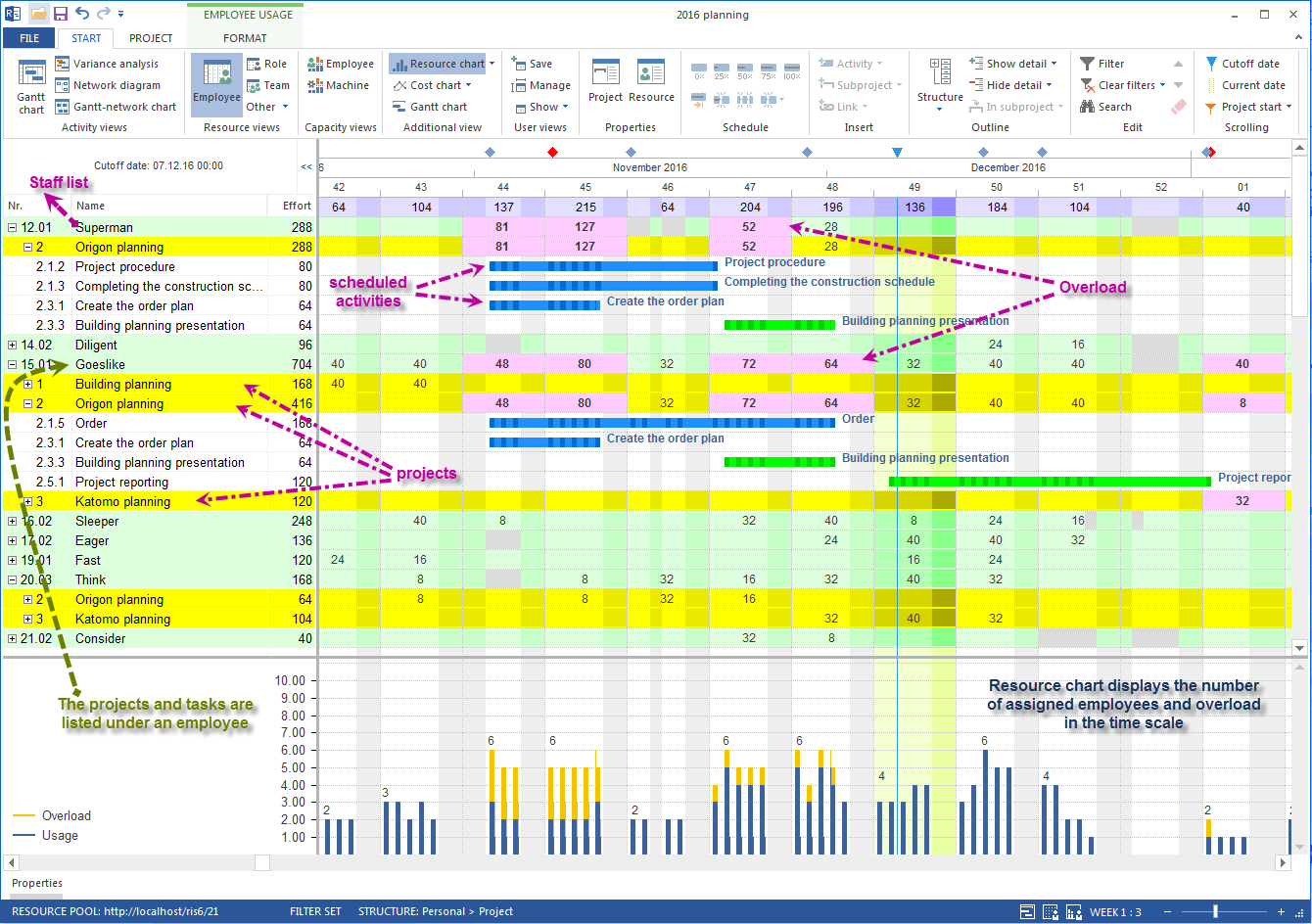
It should be easy to determine who is currently working on which projects and with how many hours each employee is loaded. In addition, an evaluation by department should be possible.
Available personnel and machine resources
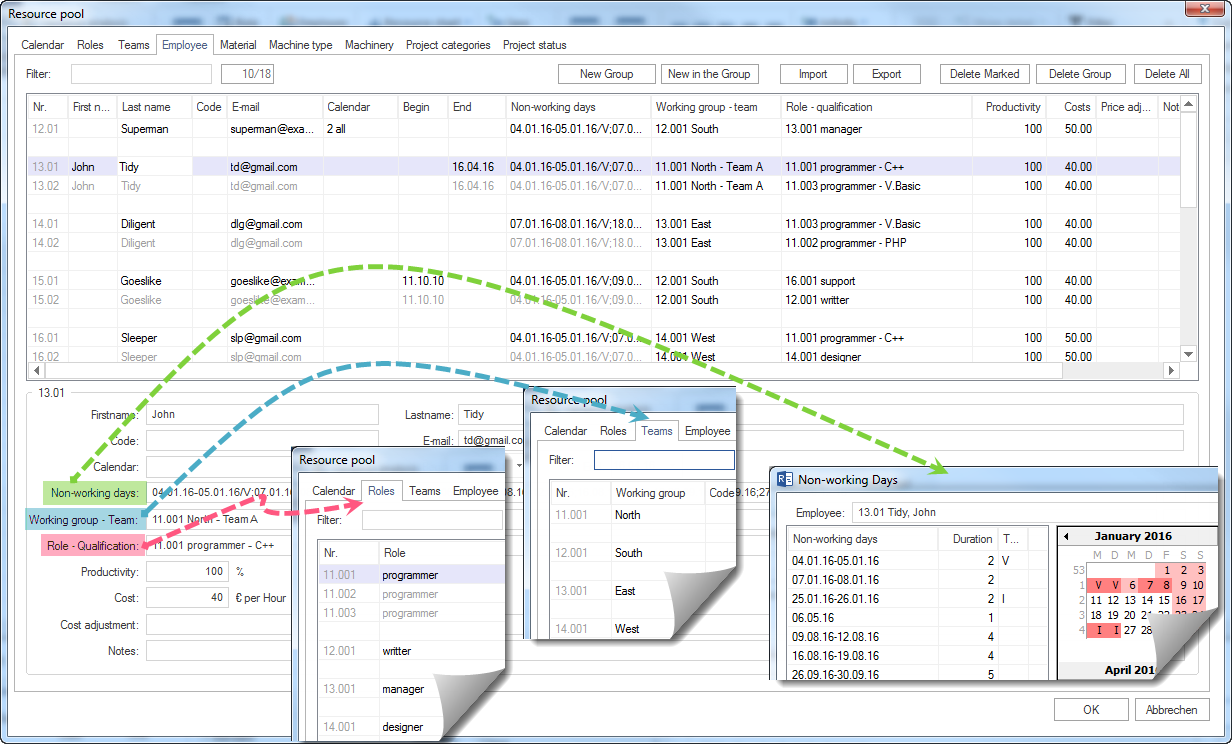
First, a central resource pool is created that all company projects can access. It contains the project-relevant personnel and, if needed, machine resources of the company:
- Working times and public holidays
- Basic personal data
- Professional skills
- Team assignment
- Absences such as vacation, illness etc.
Schedule and track orders
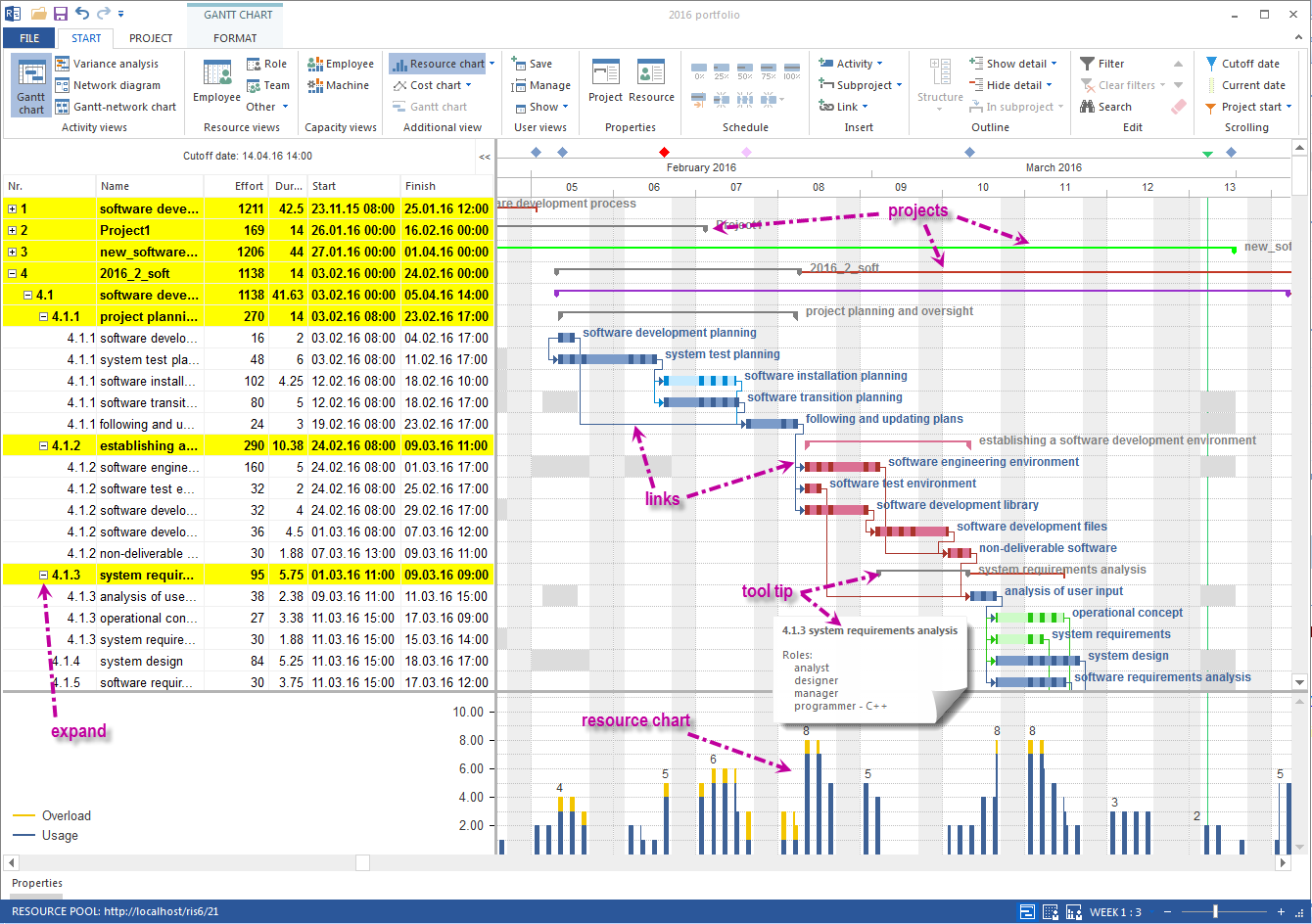
- Capture orders as individual “projects”
- Use scheduling functionality actively, e.g. shift flexibly, add new work steps in between or enter delays
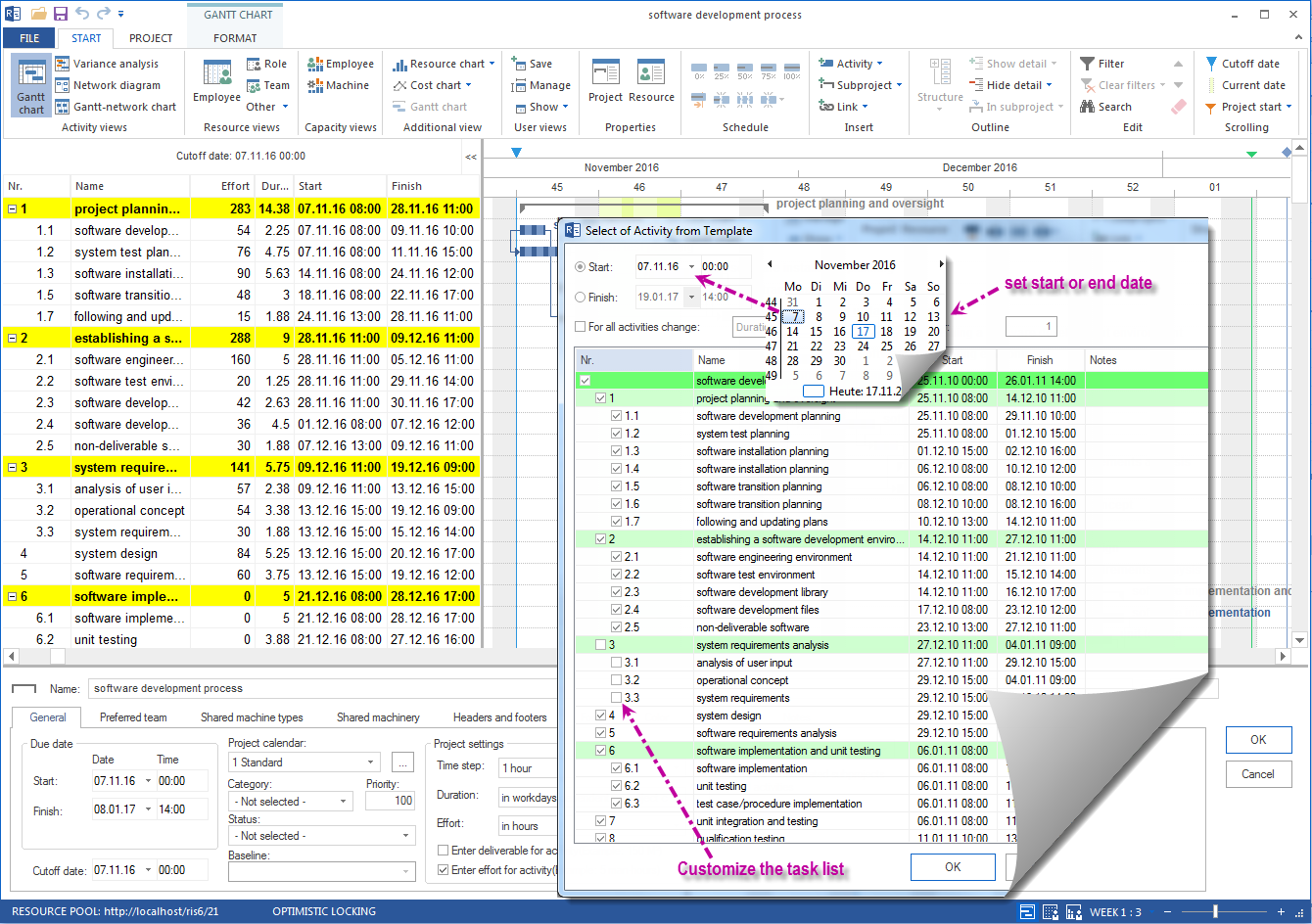
- Save recurring orders as templates
Capacity utilization
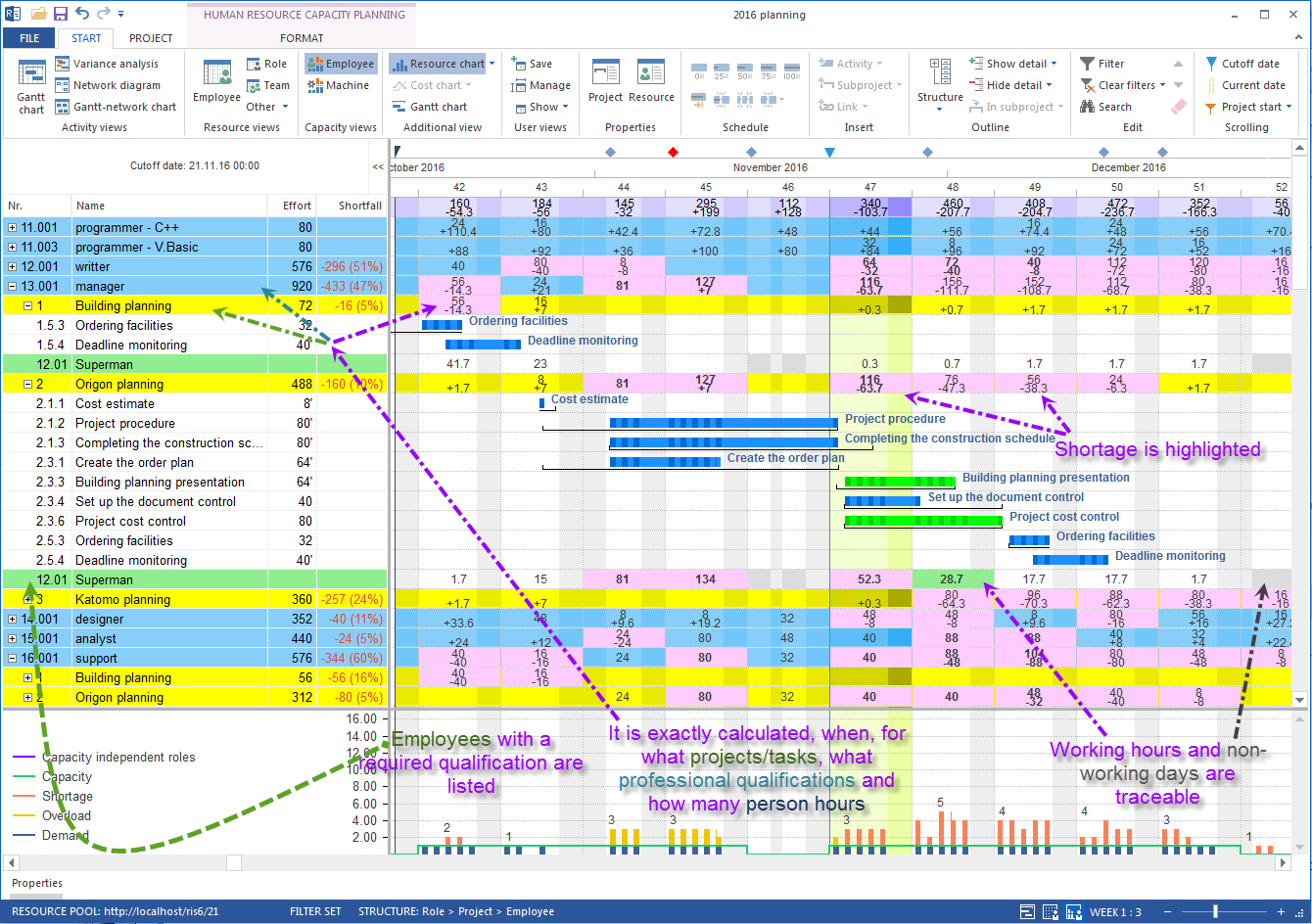
- Create a rough plan that takes into account that certain activities can only be carried out by specific employees, i.e. assign professional skills to tasks.
- Personnel requirement planning - how many employees and with which qualifications are needed for an order.
- Check whether the required employees can carry out the requested activities in the planned period and identify possible bottlenecks and free capacity.
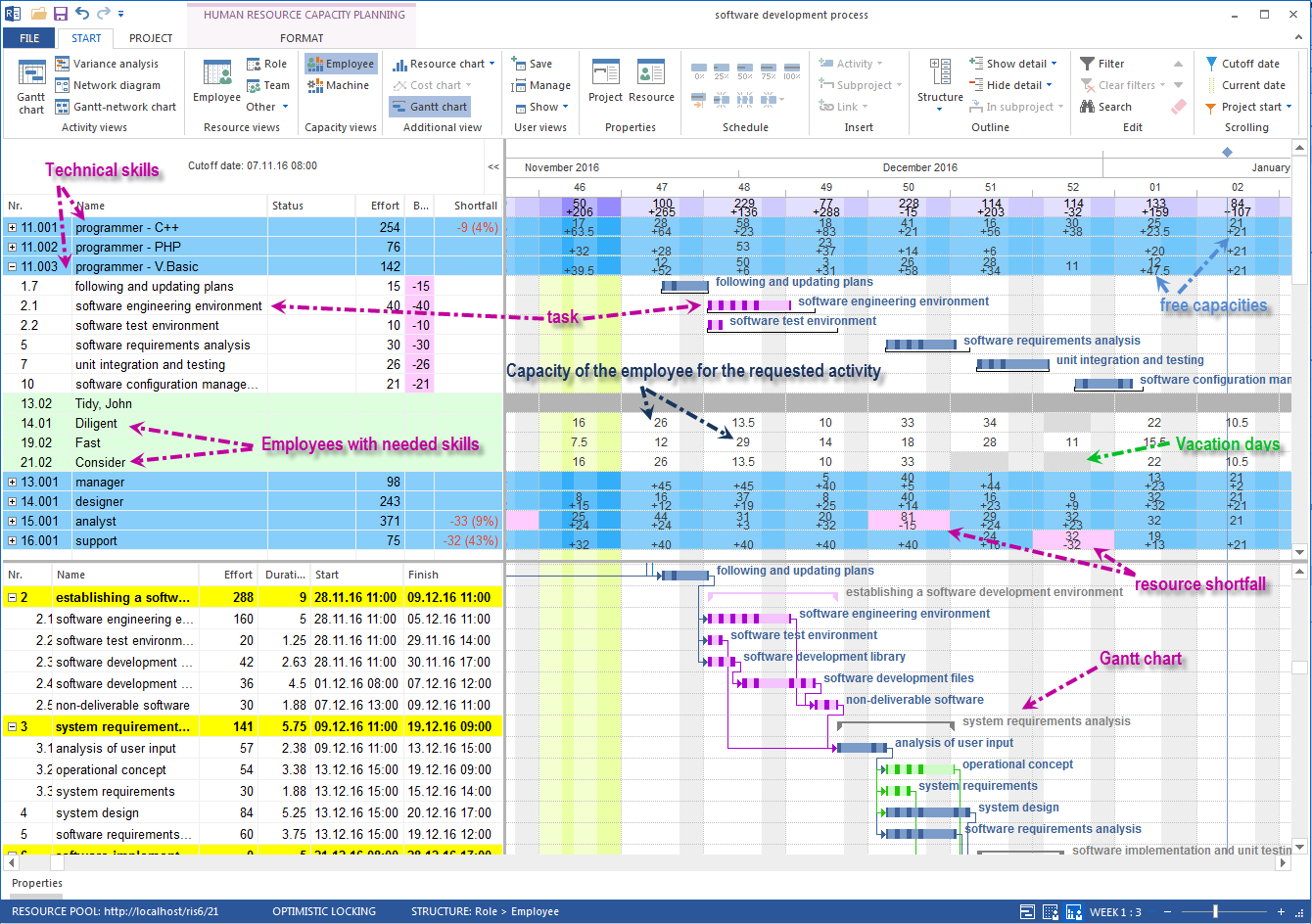
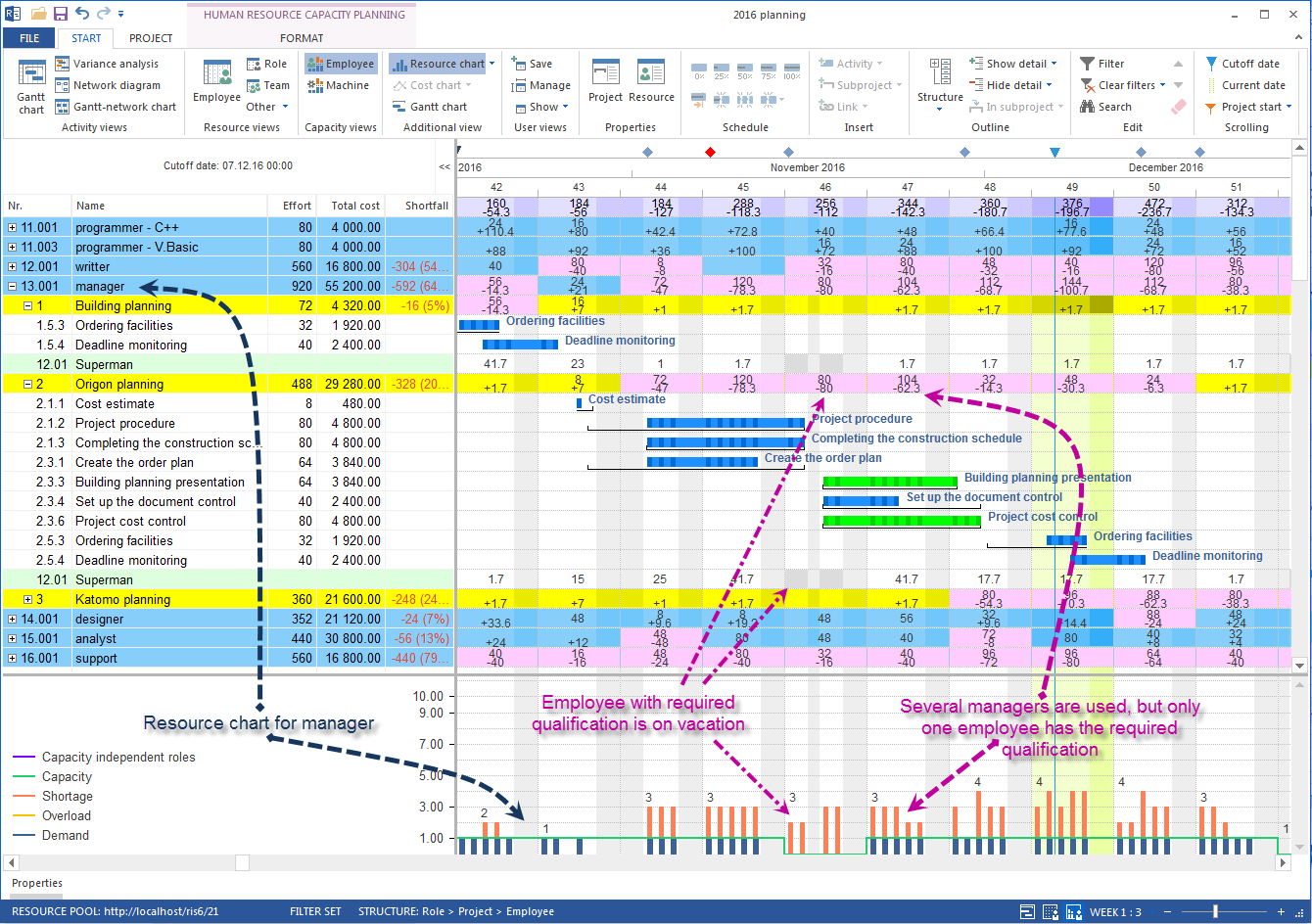
Workforce assignment
The planning is interactively linked to resource data and provides information for personnel assignment:
- Availability of an employee in relation to non-working days
- Availability of an employee, i.e. whether already scheduled on other tasks
The personnel view shows which employees with which qualifications are needed at any given time.
The following key figures can be evaluated:
- Utilization of individual employees
- Utilization of departments
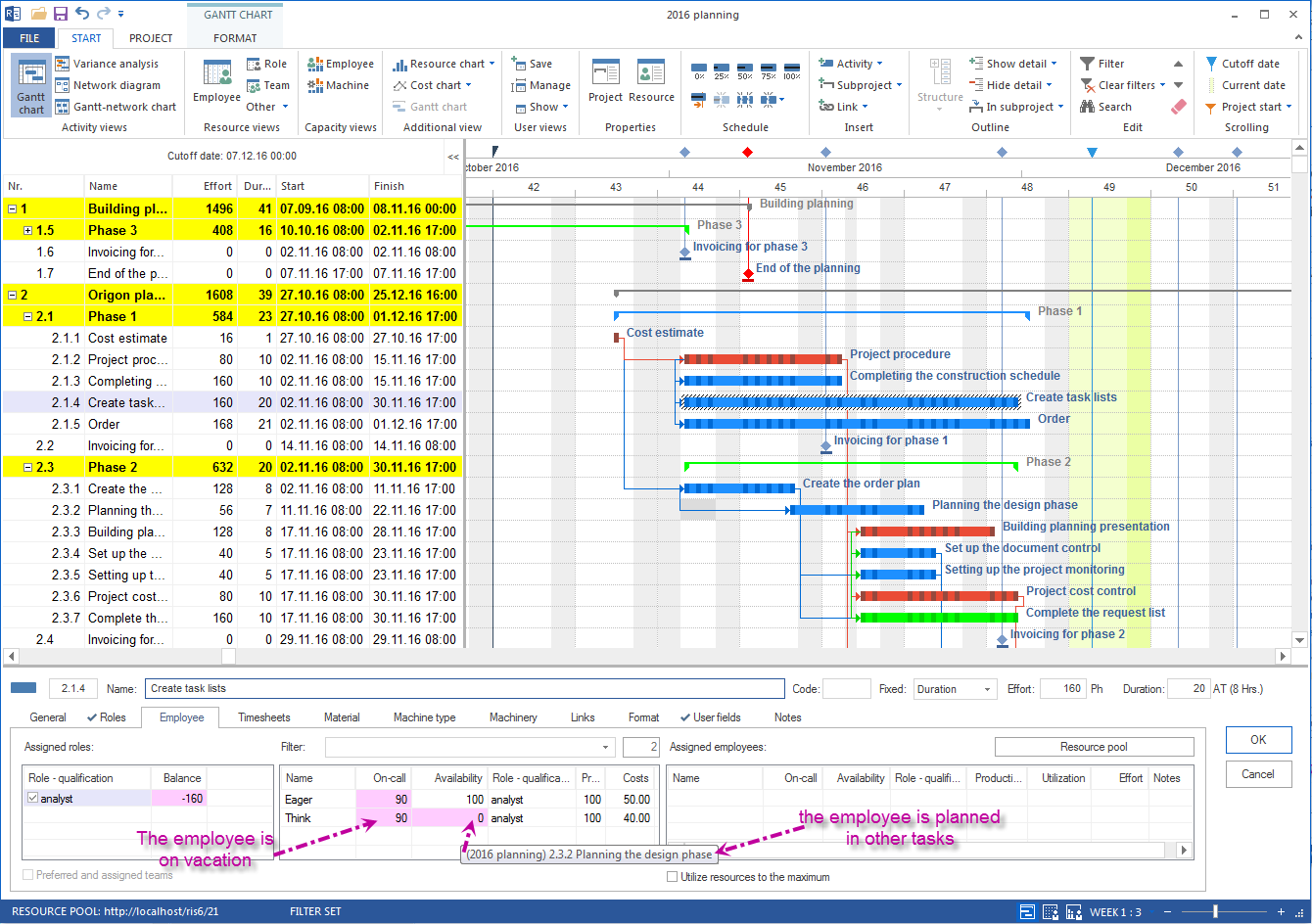
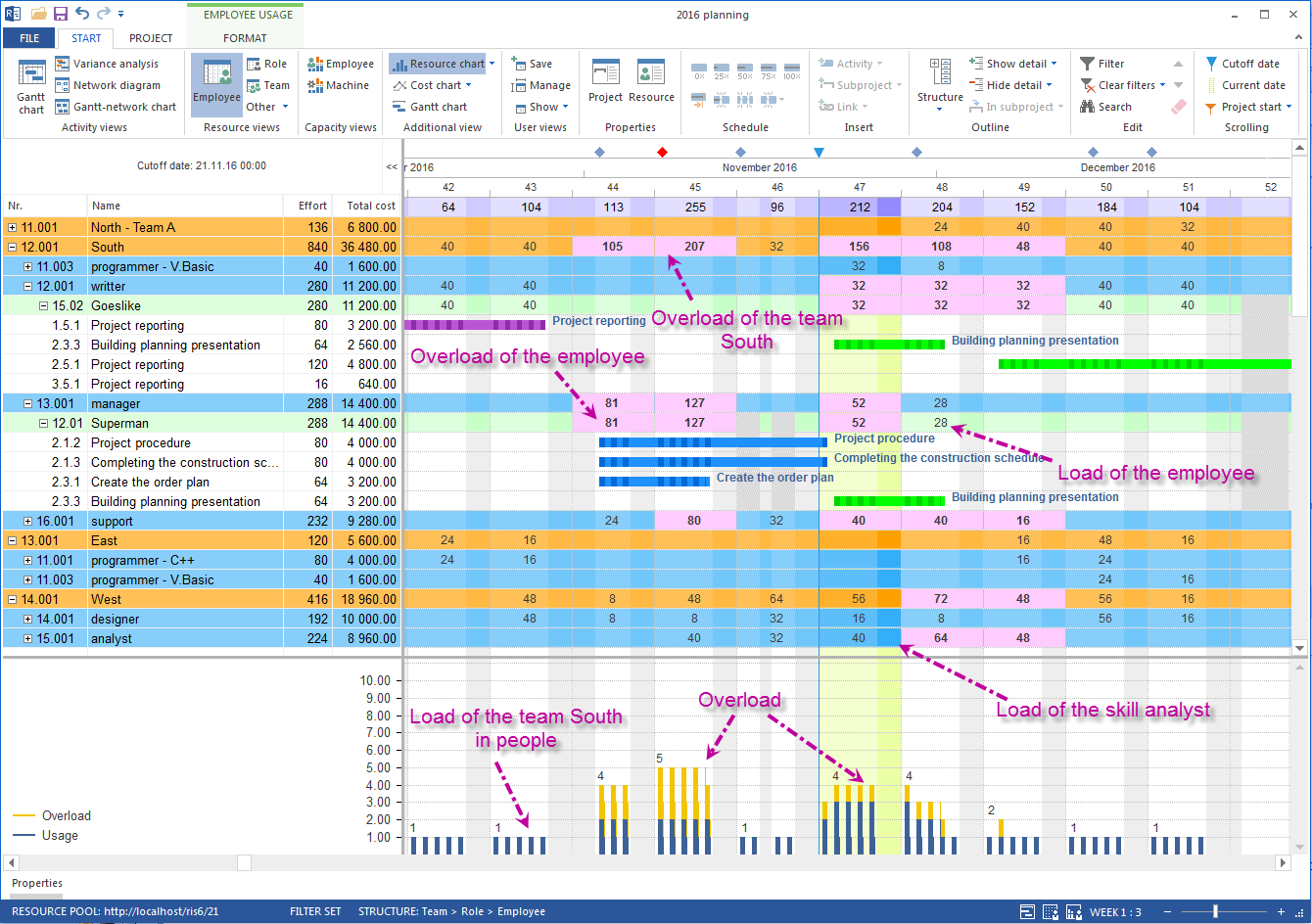
Evaluations across several orders
Create a portfolio with all current orders for an order overview. Analyze date compliance, capacity and personnel utilization across projects. This evaluation connects the mechanical engineering view with multi-project management and shows which orders compete for the same resources.
- Current demand for personnel resources
- Forecast demand for personnel resources in the future
If desired, so-called “what-if scenarios” can be created through different portfolios. In addition to currently running projects, these can also contain potential orders.
Order monitoring and updates
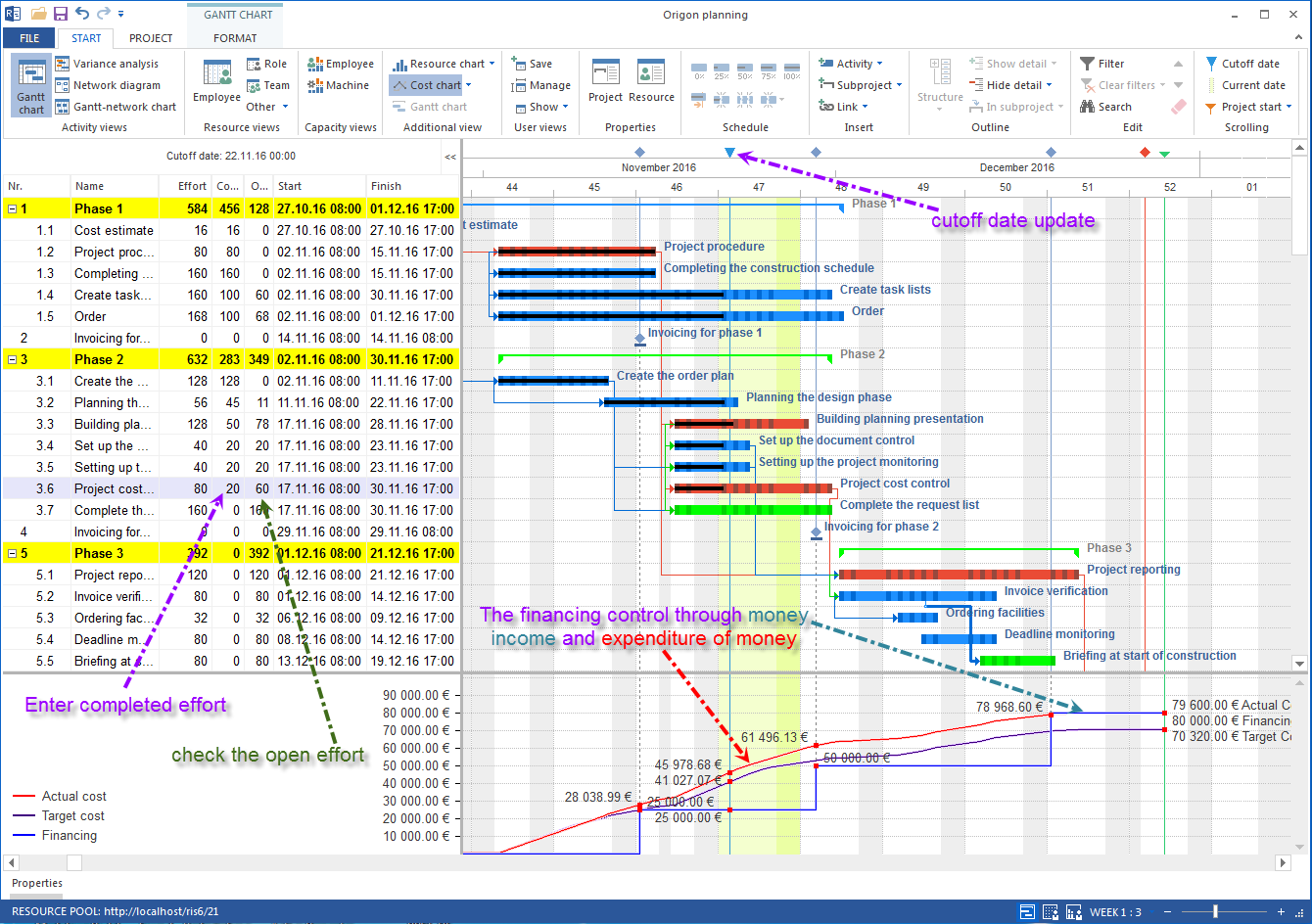
- Maintain a current status for each order step
- Get an overall overview of all orders and their respective status
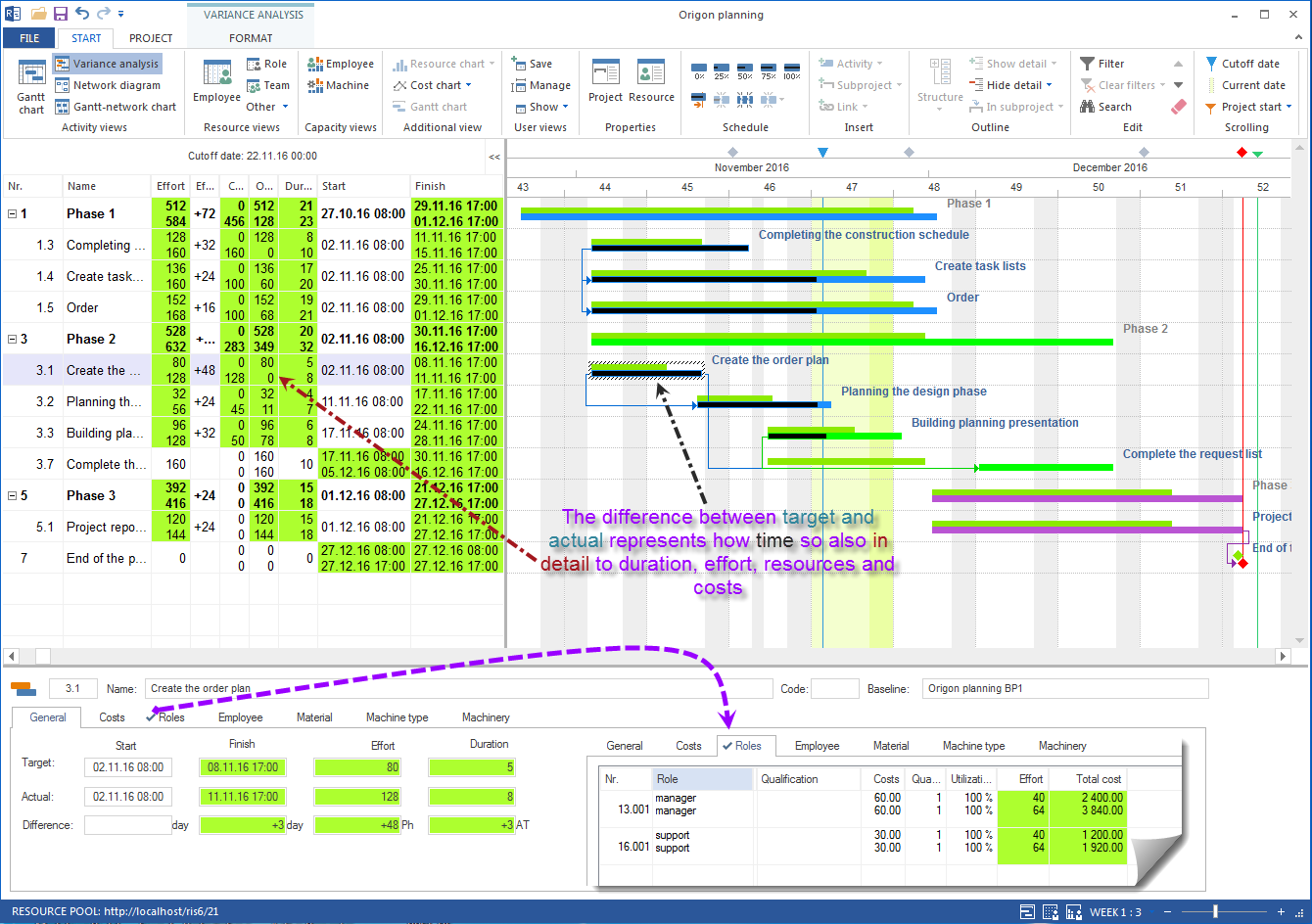
- Carry out a target/actual comparison against one of the baselines
Software behind it and related use case
Behind this workforce and capacity planning is Rillsoft Project as a Windows desktop client with a multi-project resource pool. A concrete mechanical engineering example is shown by capacity planning in mechanical engineering.