
MCP Server – AI assistant on the open project
Rillsoft Project 10 includes a built-in MCP server (Model Context Protocol). It runs inside the visible, running application on your Windows machine and exposes the open project to an AI assistant or a script. The server is reachable only at 127.0.0.1 – no cloud service, Rillsoft Project sends nothing.
What the planner does with it
A connected assistant such as Claude or Codex answers questions straight from the computed schedule:
- Who is overloaded next week? – the warning lists for delayed, overloaded and unassigned tasks, across projects too.
- Where is the bottleneck per role, team or machine? – demand against supply in the time grid of the capacity view, with the shortfall as the answer.
- Who could take this task? – candidates with availability, free capacity, cost and schedule conflict, before a person is named.
- How far does the plan deviate from the baseline? – comparison for time, effort and cost, progress per task and status date.
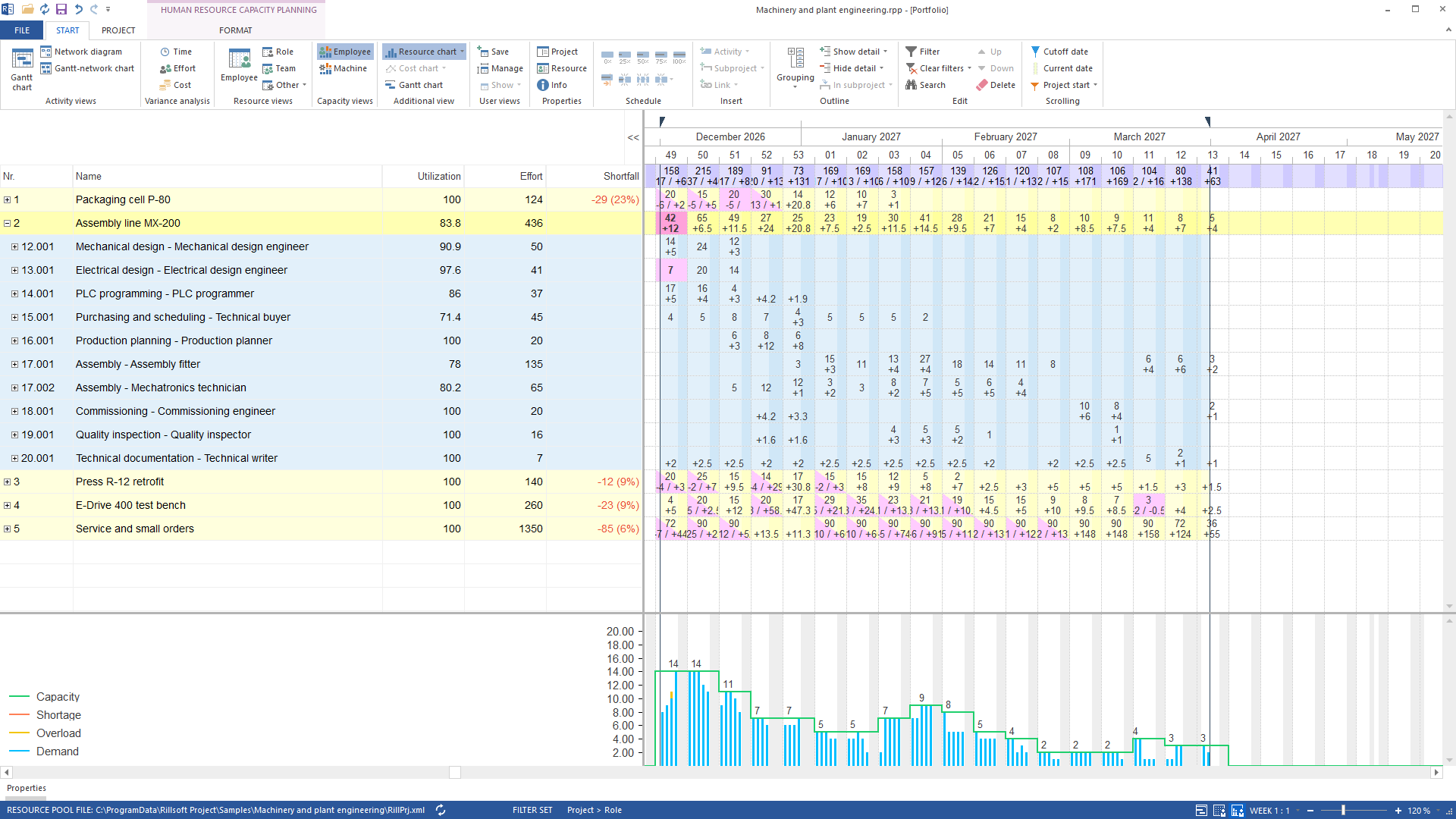
Beyond that, a client builds and changes project structures: create subprojects, tasks, dependencies, roles, people, machines and material; restructure, split, schedule. In total the server covers ten tool areas – from reading the project through capacity analysis, staffing and site planning to baseline, actual data, resource pool, portfolio and presentation.
What stays the same
- Rillsoft Project computes, the AI reads. The scheduling engine remains the single source of truth for dates, durations, workload and the critical path. The tools read the result – they do not compute it.
- Every change is one undo step. Every mutating call is exactly one step that Ctrl+Z takes back. If Rillsoft Project detects a conflict, it rolls back itself.
- Read-only mode. In read-only mode the server offers reading tools only; mutating calls are rejected with a clear error.
- Data sovereignty. The server binds to
127.0.0.1only. What your AI client transmits to its provider is governed by that provider’s privacy policy – not by Rillsoft Project.
Requirements
- Rillsoft Project 10 on Windows; earlier versions have no MCP server.
- An MCP client that speaks the Model Context Protocol over Streamable HTTP (revision 2025-06-18). Claude and Codex are verified.
- Optionally an API key in the settings – advisable on multi-user and terminal-server machines, because
127.0.0.1applies machine-wide.
Without AI: scripts and integrations
The same endpoint can be used without an AI assistant. A script initialises the session, reads the tool contract and calls the same tools – for instance to fetch the capacity report every morning or to feed in actual data. Bundled industry examples with synthetic data allow a first test without a project of your own.
Working with the Integration Server
The MCP server works on the project that is open in the desktop client – whether it comes from a local file or from Rillsoft Integration Server. Projects, documents, portfolios and folders on the server are thus reachable via MCP through the open client; multi-user operation, permissions and central storage remain the server’s job.
Continue on www.rillsoft.ai
Guides, prompts and developer documentation live on the AI hub www.rillsoft.ai (coming soon):
- Get started – enable the server, connect a client, first safe call.
- Prompts – proven questions for the open project, from delayed tasks to projects competing for resources.
- Developers – tool contract, schemas and error codes for scripts and your own integrations.
Try Rillsoft Project 10
The MCP server is part of Rillsoft Project 10: try it free for 30 days. The other new features of this version at a glance: New in Rillsoft Project 10.0.